Pepe Coin

Pepe Wallet

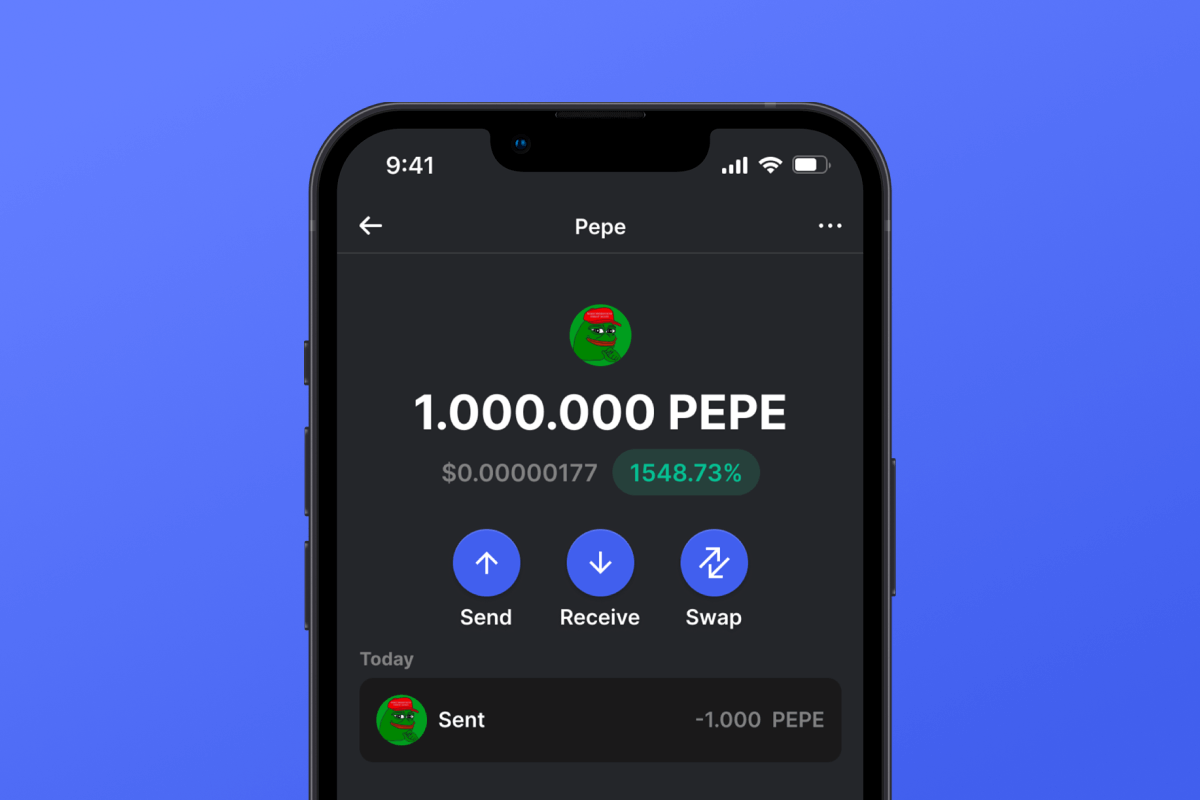
Gem Wallet is a Pepe wallet that keeps PEPE and the ETH for its network fees under one 12-word phrase, on iOS, Android, or APK. It lets you receive, send, swap, buy, or sell PEPE on Ethereum from the app. You create a wallet without an email or a phone number.

Pepe Wallet

What Is Pepe?

Pepe (PEPE), often called Pepe coin, is a meme coin issued as an ERC20 token on Ethereum. It has no blockchain of its own: all balances live in one contract, deployed on April 14, 2023, at 0x6982508145454Ce325dDbE47a25d4ec3d2311933.

The supply was minted once, at about 420.69 trillion PEPE, and holders can only reduce it by burning. The contract showed about 600,000 holders as of November 2026. Transfers carry no token tax, and ownership of the contract is renounced, so nobody can change its rules.

The official PEPE site says the token has no association with Matt Furie or his Pepe the Frog character.

What Is a Pepe Wallet?

A Pepe wallet holds the private key to an Ethereum address, because PEPE lives on Ethereum. The tokens are not inside the app: the PEPE contract records a balance against your address, and your key signs every transfer from it. On an exchange, the platform holds that key. In a self-custodial wallet, you do.

Gem Wallet is a self-custodial Pepe wallet: your key stays on the phone, in Apple Keychain or Google Tink, and you restore it on a new device with a 12-word phrase that only you hold. Gem Wallet is also listed in the wallet directory on ethereum.org.

To move PEPE you already hold, import your 12-word phrase, or import a single account by its private key.

PEPE Gas Fees in ETH

Every PEPE transfer is an Ethereum transaction, and its gas is paid in ETH. A wallet that holds PEPE and no ETH cannot send the token, so you need a small ETH balance, which Gem Wallet lets you buy in the app.

The fee equals gas used multiplied by the gas price:

  • Gas used: a PEPE transfer uses about 43,000-56,000 gas, depending on the balances involved, for example whether the recipient already holds PEPE.
  • Gas price: this moves with network demand, and Gem Wallet lets you choose how much to pay.
  • Approval: swapping PEPE through a DEX usually adds a separate approval transaction, which also costs gas.

Gem Wallet lets you choose the transaction speed, which sets how much gas you pay. It runs HashDit and GoPlus checks before sends, swaps, and token approvals, and you can revoke old approvals you no longer need.

PEPE Address and Contract

PEPE involves two strings that look alike and do different jobs:

  • Your address: 42 characters starting with 0x, for example 0x742d35C…c9e7595f0bEb1. The same address holds your ETH and every ERC20 token, so there is no separate PEPE address.
  • The PEPE contract: 0x6982508145454Ce325dDbE47a25d4ec3d2311933. It identifies the token. Do not send funds to it: the contract has no function for returning them and no owner who could.

You can add PEPE to Gem Wallet by pasting its contract address.

Gem Wallet also hides address-poisoning spam, the tiny transfers that plant a look-alike address in your history. Keep frequent recipients in Contacts.

Buy PEPE by Card, Swap It, or Sell It

You can buy PEPE on Ethereum by card in Gem Wallet through on-ramp providers, which run any identity check themselves. Gem Wallet also lets you sell PEPE for fiat through providers and swap PEPE through a built-in DEX aggregator. Price alerts notify you when the PEPE price moves.

Gem Wallet keeps PEPE next to your other meme coins in one app.

Hold PEPE and the ETH for its fees in one app: get Gem Wallet for iOS or Android, or as an APK.

Why Choose Gem Wallet as Your Pepe Wallet

Gem Wallet is a Pepe wallet where you control your keys and your funds. The code is publicly available on GitHub. Your activity is not tracked, and you can buy, swap, and use Pepe directly from the app.

Control and Self-Custody

Full control of your private keys and secret phrase. No third party can access or restrict your PEPE. Your PEPE is truly yours.

Privacy Protection

No tracking, no personal information, no data collection. Complete privacy and control over your Pepe.

Audited

Publicly available code on GitHub, independently audited by CertiK in April 2026 and Cure53 in October 2026.

Multi-Platform

Available on iOS, Android, and APK. Your Pepe wallet works wherever you go.

Pepe Wallet in Multiple Languages

Supporting 25+ languages including English, Spanish, Chinese, Russian, and Arabic. Fully localized for worldwide accessibility.

Built-In Pepe Services

Buy Pepe with 30+ payment methods. Swap PEPE through integrated DEX aggregator. Manage all crypto assets in one secure place.

Comparison: Gem Wallet vs Exchange Wallets

See how storing Pepe in Gem Wallet differs from keeping it on exchanges

FeatureGem WalletExchange Wallets (Binance, Coinbase)
Registration Required✅ None❌ Full KYC
Personal Data Collection✅ None❌ Extensive (ID, address, selfie)
Open-Source✅ Fully transparent❌ Closed source
Private Keys Control✅ Yes❌ No
Account Freezing✅ Impossible❌ Possible
Setup Time✅ 2 minutes⚠️ 1-7 days (KYC verification)

Professional Security Features

  1. Biometric Authentication: Use Face ID, Touch ID, or fingerprint to secure your wallet
  2. PIN Protection: Set a strong PIN code as an additional security layer
  3. Encrypted Backups: Your secret phrase is stored securely and never leaves your device
  4. Regular Security Audits: Independent security reviews ensure wallet integrity. Learn more about security →
Gem Wallet private key security and self-custody crypto wallet features
App Store
DariaGalli
Aug 7, 2025

Great 👍🏻 I've been using this wallet for Bitcoin and USDT it's easy to use, and the design's actually...

Google Play
mitu Akter2
Feb 11, 2026

Excellent crypto wallet! The app is very easy to use, even for beginners. Transactions are fast and secure, and I really like the clean interface.

App Store
Cryptouser22
Mar 26, 2025

Very fast customer support response, it was much appreciated

App Store
Borisza1
Dec 26, 2025

Very fast and easy app to use fast transfers

Google Play
Danish
Jan 11, 2026

fantastic wallet simple, easy to use, friendly interface secure with many more great features.

App Store
NewbieCrypto_2024
Dec 15, 2025

Perfect for beginners. Set it up in under 2 minutes and bought my first Bitcoin through the wallet. Super easy!

Google Play
Sabana
Dec 30, 2025

Gem Wallet offers a clean interface and solid security for managing crypto assets. Transactions are smooth and reliable.

App Store
LadyTech777
Dec 12, 2025

I wanted something easy to use, fast wallet with multiple old and new chains. Finally found all of this in Gem.

Google Play
Ahmed Barca
Jan 9, 2026

best app

App Store
Stickyglow
Apr 10, 2025

I love how I can cross chain swap btc and eth in base it was fastest swap ever.

Google Play
Forhad Rahman
Jan 5, 2026

A well-designed crypto wallet that balances security and usability. Managing assets feels simple, even for someone new to crypto.

App Store
Joa.co
Jan 2, 2026

Simple and powerful wallet with beautiful native iOS design. Open source, self custodial, with staking support.

App Store
Sarah_Crypto
Aug 12, 2025

Switched from Coinbase and never looked back. I actually own my crypto now. The seed phrase backup is straightforward and secure.

How to Set Up a Pepe Wallet in 2 Minutes

Quick Setup Guide (3 Steps)

Creating a Pepe wallet is simpler than opening a bank account. Gem Wallet guides you through the entire process in minutes, making it accessible for complete beginners.

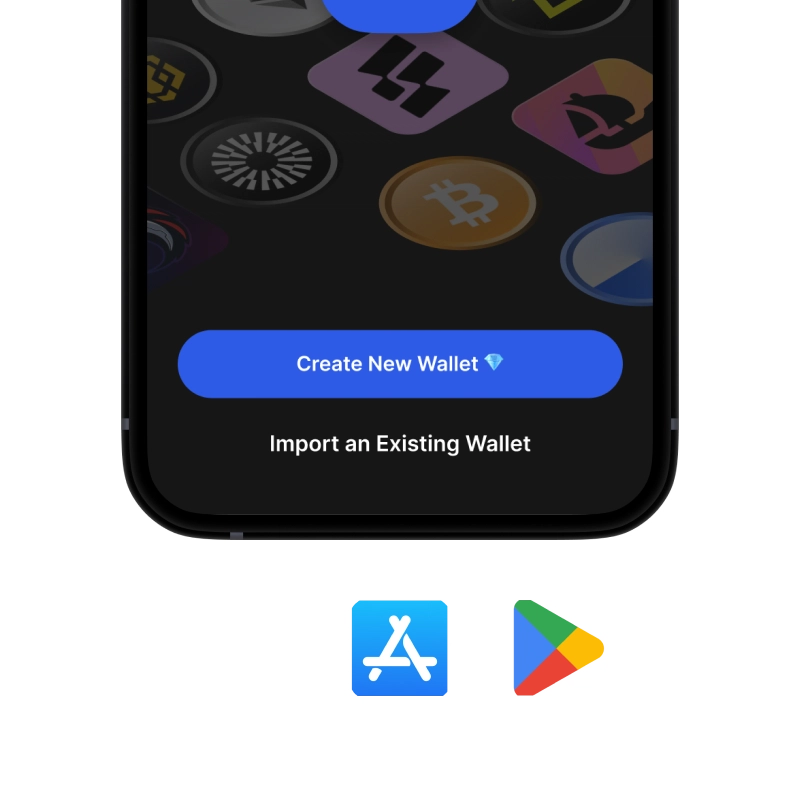
onboarding view

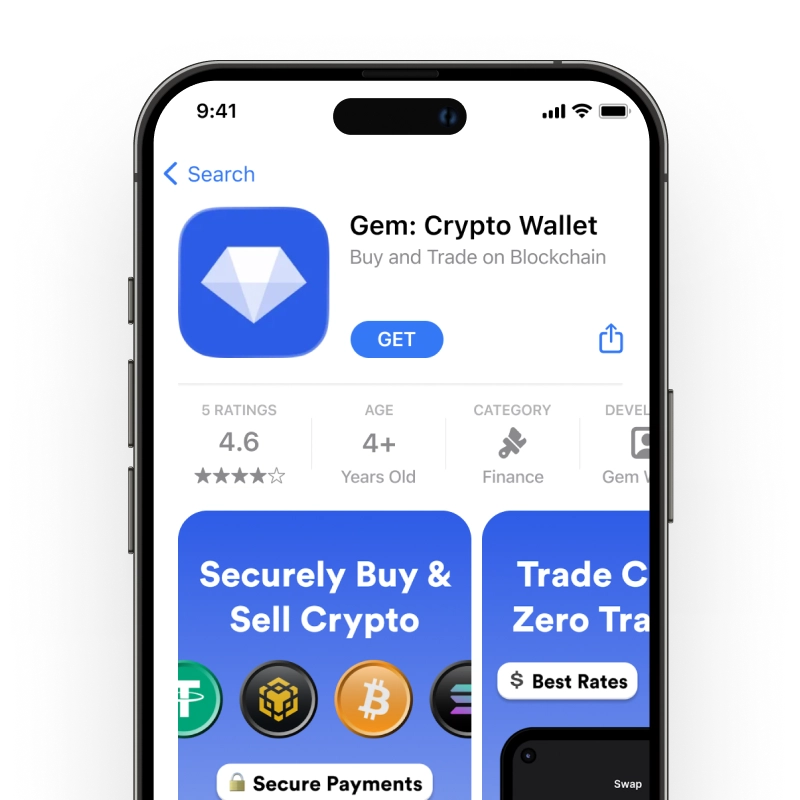
1. Download Pepe Wallet

Pepe Wallet: iOS, Android & APK

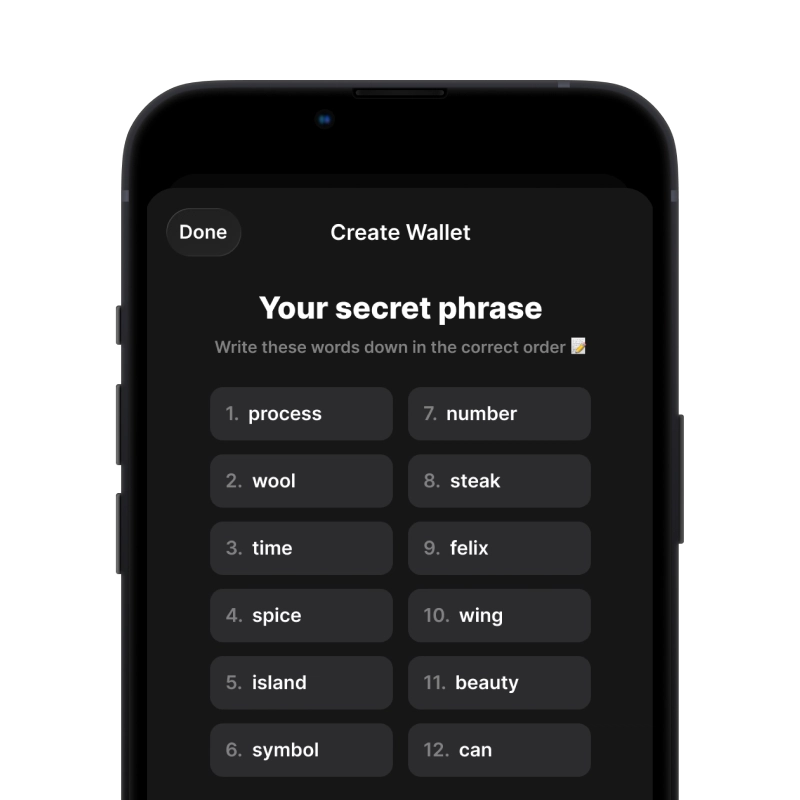
recovery phrase screen

2. Create Pepe Wallet

Create a new wallet, save the secret phrase, and get your address in Pepe.

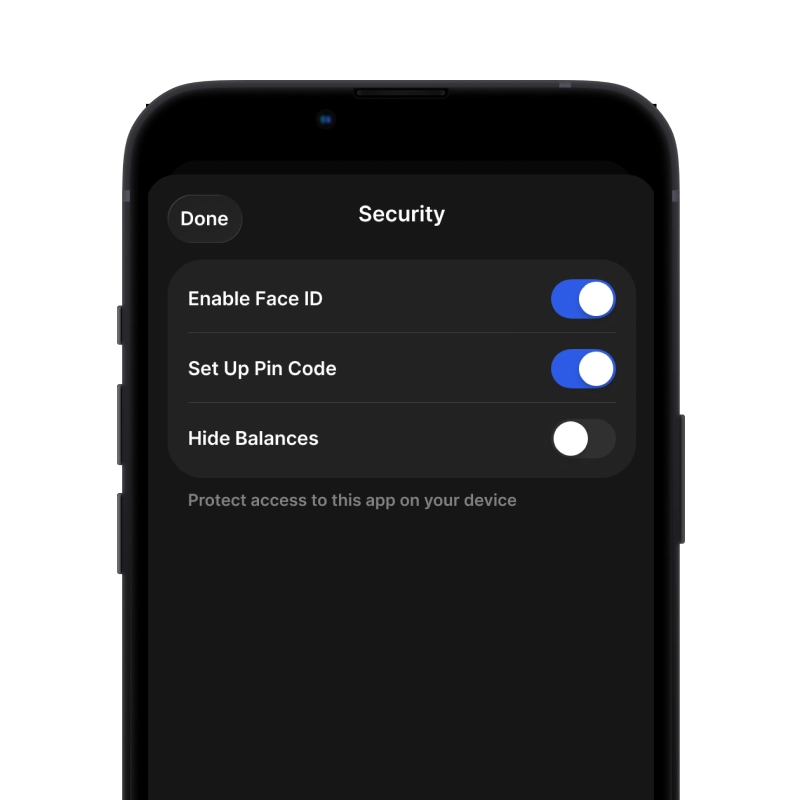
gem wallet security settings

3. Set Up Security for PEPE

Enable PIN or biometric authentication and you're ready to go

Create Pepe Wallet for iOS

Get your PEPE wallet on iPhone (2 min):

  1. Open the App Store and search for "Gem Wallet"
  2. Download and install the app (it's free and under 50MB)
  3. Open Gem Wallet and tap "Create New Wallet"
  4. Write down your secret phrase on paper - this is your master backup
  5. Enable Face ID or set a PIN code for quick and secure access
  6. Done!
Download Gem Wallet for iOS
Pepe wallet for iOS

Create Pepe Wallet for Android

Get your PEPE wallet on Android (2 min):

  1. Via Google Play: Search for “Gem Wallet” in the Play Store and install
  2. APK: Download the APK file for maximum privacy and control
  3. Open the app and select "Create New Wallet"
  4. Write down your 12-word secret phrase on paper
  5. Set up fingerprint or PIN authentication
  6. Done!

How to Get a Pepe Address

To get a Pepe wallet address, you first need to create or import a Pepe wallet. After that, the app will generate addresses for you automatically.

1 Open Gem Wallet

Launch the app on your phone and select Pepe (PEPE) from your asset list.

2 Tap "Receive" Button

You'll see a large button at the bottom of the screen. Your Pepe wallet address will be displayed both as text and as a QR code.

3 Copy Your Address

Copy the address to clipboard, share the QR code, or send it directly through messaging apps.

Get Pepe wallet address in Gem Wallet
🔄 Unlimited Addresses

In Gem Wallet, you can generate unlimited Pepe addresses for free. Each address is derived from your secret phrase and remains under your control forever.

📱 Using QR Codes
  • ✅ No Typing Errors - Scanning prevents copy-paste mistakes
  • ✅ Faster Transactions - Just show your phone screen
  • ✅ Perfect for in-person PEPE payments

Frequently Asked Questions

The official PEPE site offers no app of its own. It tells holders to use a wallet of their choice, and Gem Wallet is a Pepe wallet available on iOS, on Android through Google Play, and as an APK.
The PEPE contract address on Ethereum is 0x6982508145454Ce325dDbE47a25d4ec3d2311933. It identifies the token and is not an address to send funds to. Your own wallet address, also starting with 0x, is the one you use to receive PEPE.
Yes. On the exchange, choose Ethereum (ERC20) as the withdrawal network and paste the address from the Receive screen in Gem Wallet. A small first withdrawal shows that everything works.
Sending PEPE costs an Ethereum network fee paid in ETH, not in PEPE. On November 5, 2026, a transfer cost from about 2 cents to 22 cents, depending on the gas price paid. The fee moves with network demand, so keep a small ETH balance next to your PEPE.
Yes. A PEPE transfer is an Ethereum transaction, and its gas is paid in ETH. You can buy ETH in Gem Wallet or swap another token into it, then send your PEPE.

Your Pepe Wallet Is Ready

App Store 4.6 ★ on App Store Google Play 4.7 ★ on Google Play
Download Now