



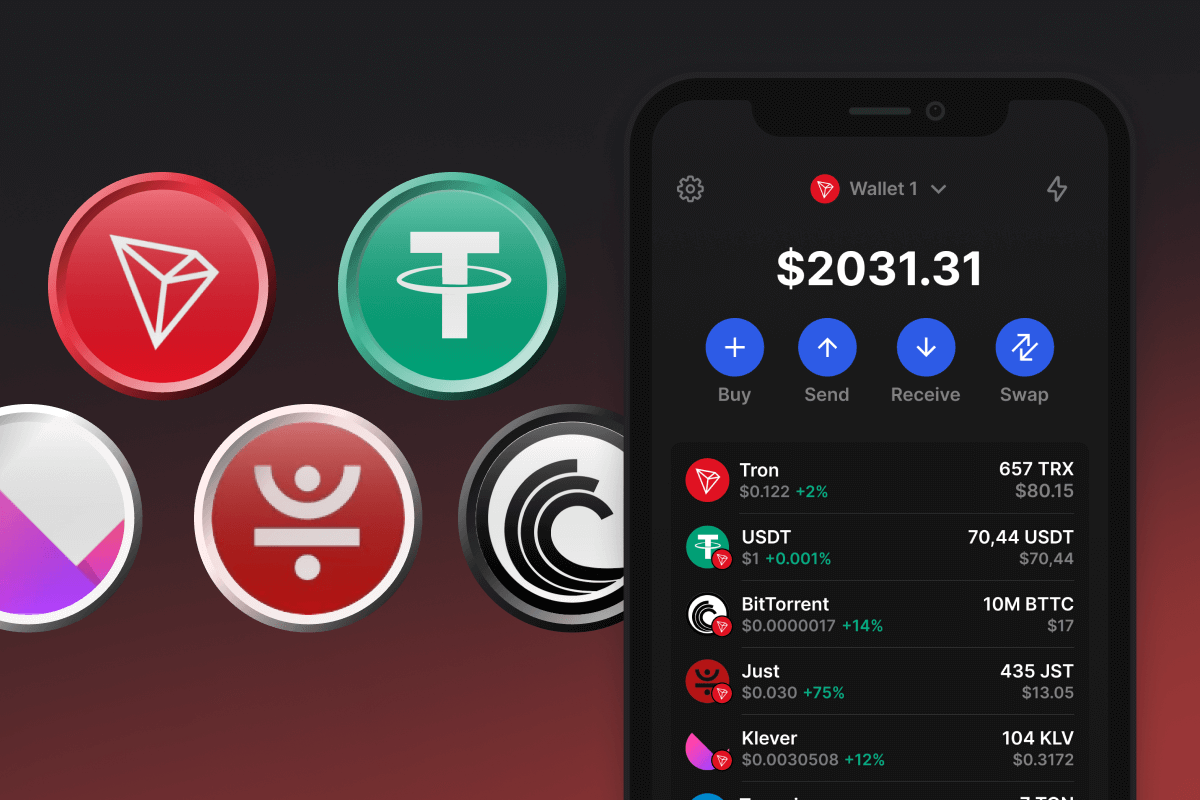
TRC20 Coin

TRC20 Wallet

Create a TRC20 Wallet for secure interaction with the Tron Network. Open-source, self-custodial, and privacy-first, with built-in DEX swaps and a credit-card on-ramp, the TRC20 Wallet provides you with a wide range of tools for managing TRON and TRC20 assets. Available on iOS and Android, as well as an APK app - Join Today!

TRC20 Wallet

Manage All TRC20 Tokens in One Wallet

Gem Wallet is a TRC20 wallet built for the full TRON token ecosystem. Beyond holding USDT, you get native support for every major TRC20 asset, including DeFi tokens (JST, SUN), oracles (WIN), stablecoins (USDD), and ecosystem tokens (BTT, APENFT). All in a single self-custody app on iOS, Android, and APK, with no registration and no tracking.

What Is the TRC20 Standard?

TRC20 (also written as TRC-20) is the token contract standard on the TRON Network. It defines how fungible tokens are issued and transferred through smart contracts on the TRON Virtual Machine (TVM), using a fixed interface (totalSupply, balanceOf, transfer, approve, transferFrom, allowance) that wallets and exchanges rely on for compatibility. The standard is intentionally aligned with Ethereum's ERC-20, which is why thousands of projects have launched TRC20 versions of their tokens on TRON for cheaper and faster transfers. Any wallet that supports TRC20 should automatically recognize all tokens that follow this standard, including new launches.

How TRC20 Transfers Work in Gem Wallet

TRC20 transfers follow the standard mechanics of the TRON blockchain. Sending a TRC20 token is a smart contract call that consumes Energy and Bandwidth, the two resources defined by TRON's Resource Model. A standard TRC20 transfer (such as USDT) consumes around 65,000 Energy when sending to an active address that already holds USDT, and roughly 130,000 Energy when sending to a fresh wallet receiving the token for the first time, plus around 345 Bandwidth in both cases.

To send any TRC20 token, your account must hold TRX - the network either burns TRX directly to pay for Energy and Bandwidth, or consumes resources you obtained by staking TRX. Without a TRX balance and without staked resources, the transaction will not go through. The August 2025 energy price adjustment (proposal #104) changed the cost structure. As of 2026, a typical USDD TRC20 transfer paid in burned TRX costs roughly 6.4 TRX to an active address and 13.4 TRX to a fresh address - around $1.70 to $3.70 depending on the TRX market rate. With sufficient staked TRX, the same transfer costs effectively $0.

This applies to every TRC20 transaction on TRON, regardless of the wallet. Gem Wallet simply follows the protocol as designed, with no custom routing or proprietary fee logic, and shows you the exact fee in TRX and USD before you confirm.

TRC20 Address Format

Every TRC20 token uses the standard TRON address format: a 34-character string that always starts with the letter T (for example, TR7NH........zgjLj6t). The same address holds your TRX and all TRC20 tokens on your account - there is no separate address per token. This is why sending USDT, USDD, or any other TRC20 asset uses the exact same destination as sending TRX itself. Always confirm the address starts with T before sending: addresses starting with 0x belong to Ethereum and other EVM-compatible chains (BNB Chain, Polygon, Arbitrum), not TRON, and funds sent across networks without a bridge are unrecoverable.

Popular TRC20 Tokens Supported by Gem Wallet

Thousands of tokens are issued under the TRC20 standard. Gem Wallet supports them all out of the box, with the most active categories being DeFi, oracles, and TRON-native ecosystem assets:

  • JST (JUST) - governance token of the JustLend DeFi protocol
  • SUN - native token of SunSwap and SunPerp
  • WIN (WINkLink) - decentralized oracle network on TRON
  • BTT (BitTorrent) - file-sharing infrastructure token
  • APENFT (NFT) - NFT marketplace and ecosystem token
  • USDD - TRON-based stablecoin

For Tether on TRON specifically, including how USDT TRC20 differs from USDT on Ethereum and other chains, see our dedicated USDT wallet guide.

TRC20 vs Other Token Standards

TRON supports several token standards, each for different use cases. TRC-10 is a chain-native token with no smart contract overhead, cheap to issue but limited in programmability. TRC20 is the smart contract standard, programmable and ERC-20 compatible, which is why it powers nearly all DeFi tokens and stablecoins on TRON. TRC-721 and TRC-1155 cover non-fungible and multi-token NFT use cases. Compared to ERC-20 on Ethereum, TRC20 shares the same function interface but runs on TVM with TRON's Energy and Bandwidth Resource Model instead of gas, resulting in significantly higher throughput and lower transaction costs. Gem Wallet supports TRC20, TRC-10, and TRC-721 tokens in the same app.

Why Gem TRC20 Wallet App Is the Best Choice?

Gem Wallet stands out as a leading TRC20 wallet solution, combining security, privacy, and usability in one powerful app. Here's why users choose Gem Wallet for their TRC20 needs:

Self-Custody

Control and Self-Custody

Full control of your private keys and secret phrase. No third party can access or restrict your TRC20. Your TRC20 is truly yours.

Privacy

Privacy Protection

No tracking, no personal information, no data collection. Complete privacy and control over your TRC20.

Open-Source

Audited

Publicly available code on GitHub, independently audited by CertiK in April 2026.

Staking

Multi-Platform

Available on iOS, Android, and APK. Your TRC20 wallet works wherever you go.

Pioneer

TRC20 Wallet in Multiple Languages

Supporting 25+ languages including English, Spanish, Chinese, Russian, and Arabic. Fully localized for worldwide accessibility.

Cross-chain

Built-In TRC20 Services

Buy TRC20 with 30+ payment methods. Swap TRC20 through integrated DEX aggregator. Manage all crypto assets in one secure place.

Comparison: Gem Wallet vs Exchange Wallets

See how storing TRC20 in Gem Wallet differs from keeping it on exchanges

FeatureGem WalletExchange Wallets (Binance, Coinbase)
Registration Required✅ None❌ Full KYC
Personal Data Collection✅ None❌ Extensive (ID, address, selfie)
Open-Source✅ Fully transparent❌ Closed source
Private Keys Control✅ Yes❌ No
Account Freezing✅ Impossible❌ Possible
Setup Time✅ 2 minutes⚠️ 1-7 days (KYC verification)

Professional Security Features

  1. Biometric Authentication: Use Face ID, Touch ID, or fingerprint to secure your wallet
  2. PIN Protection: Set a strong PIN code as an additional security layer
  3. Encrypted Backups: Your secret phrase is stored securely and never leaves your device
  4. Regular Security Audits: Independent security reviews ensure wallet integrity. Learn more about security →
Gem Wallet private key security and self-custody crypto wallet features

What Users Say About Gem TRC20 Wallet

How to Set Up a TRC20 Wallet in 2 Minutes

Quick Setup Guide (3 Steps)

Creating a TRC20 wallet is simpler than opening a bank account. Gem Wallet guides you through the entire process in minutes, making it accessible for complete beginners.

onboarding view

1. Download TRC20 Wallet

TRC20 Wallet: iOS, Android & APK

recovery phrase screen

2. Create TRC20 Wallet

Create a new wallet, save the secret phrase, and get your address in TRC20.

gem wallet security settings

3. Set Up Security for TRC20

Enable PIN or biometric authentication and you're ready to go

Create TRC20 Wallet for iOS

Get your TRC20 wallet on iPhone (2 min):

  1. Open the App Store and search for "Gem Wallet"
  2. Download and install the app (it's free and under 50MB)
  3. Open Gem Wallet and tap "Create New Wallet"
  4. Write down your secret phrase on paper - this is your master backup
  5. Enable Face ID or set a PIN code for quick and secure access
  6. Done!
Download Gem Wallet for iOS
TRC20 wallet for iOS

Create TRC20 Wallet for Android

Get your TRC20 wallet on Android (2 min):

  1. Via Google Play: Search for "Gem Wallet" in the Play Store and install
  2. APK: Download the APK file for maximum privacy and control
  3. Open the app and select "Create New Wallet"
  4. Write down your 12-word secret phrase on paper
  5. Set up fingerprint or PIN authentication
  6. Done!
TRC20 wallet for Android

How to Get a TRC20 Address

To get a TRC20 wallet address, you first need to create or import a TRC20 wallet. After that, the app will generate addresses for you automatically.

1 Open Gem Wallet

Launch the app on your phone and select TRC20 (TRC20) from your asset list.

2 Tap "Receive" Button

You'll see a large button at the bottom of the screen. Your TRC20 wallet address will be displayed both as text and as a QR code.

3 Copy Your Address

Copy the address to clipboard, share the QR code, or send it directly through messaging apps.

Get TRC20 wallet address in Gem Wallet
🔄 Unlimited Addresses

In Gem Wallet, you can generate unlimited TRC20 addresses for free. Each address is derived from your secret phrase and remains under your control forever.

📱 Using QR Codes
  • No Typing Errors - Scanning prevents copy-paste mistakes
  • Faster Transactions - Just show your phone screen
  • Perfect for in-person TRC20 payments

Frequently Asked Questions

It’s simple — download the TRC20 (TRON) wallet in the app, follow the quick setup steps to create a new wallet, back up your 12-word secret phrase offline, and your TRC20 wallet will be ready to use.
When you create a TRC20 wallet you automatically receive a TRC20 address. Open the TRON asset page in the app and tap Receive — your address and QR code will be shown for incoming transfers.
Open the wallet and go to Swap → choose the TRC20 token you want to exchange (for example USDT) and the token you want to receive, review the quoted price, estimated fees and slippage, then confirm. The app uses liquidity aggregation and integrated providers to find the best route.
First, make sure you have enough TRX to cover network fees. Then open the TRC20 token page, tap Send, enter or paste the recipient’s TRC20 address (or scan the QR), specify the amount, review fees, and confirm the transaction.
Open the TRON (TRC20) asset page in the wallet and tap Receive. You’ll see your TRC20 address and a QR code — copy or share this address with the sender or use it for exchange withdrawals.

Your TRC20 Wallet Is Ready

App Store 4.9 ★ on App Store | Google Play 4.8 ★ on Google Play
Download Now


















