Lightning Network Coin

Lightning Network کیف پول

The Lightning Network Wallet is your key to the L2 network based on the Bitcoin blockchain, which will make your micropayments instant and with low network fees. Download the wallet and try the Lightning Network - a truly lightning-fast solution!

Lightning Network کیف پول

What Is Lightning Network?

The Lightning Network (LN) is an addition to Bitcoin that allows for fast transactions with minimal fees. It works by allowing users to open special payment channels through which they can instantly transfer money to each other without the delays and complexities associated with the main Bitcoin network. This system is particularly useful for small payments, such as buying a cup of tea or coffee in a cafe.

What Is Lightning Network Wallet?

A Lightning Network Wallet is a special wallet that allows you to use the LN for payments and asset storage. Not every wallet that works with Bitcoin will also work with the LN. The Lightning Network is an L2 (layer 2) extension for the Bitcoin blockchain, therefore it requires additional support from the wallet developers.

Lightning Network Wallet Benefits

A LN Wallet offers several important features and aspects that will make your interaction with the network both comfortable and secure:

  1. Open Source: The LN Wallet is open source, supporting transparency and openness for its users.

  2. Self-Custody: Your Bitcoins and other crypto assets are accessible only to you. No one else has access to your private key.

  3. Privacy and Security: The Lightning Network Wallet adheres to high standards of security and privacy.

  4. Universality: Your wallet is available on both Android and iOS, providing easy access to your assets regardless of your mobile device choice.

  5. Convenience: A simple and intuitive interface ensures easy and productive management of your assets.

  6. Micropayments: The LN helps avoid the high fees associated with Bitcoin blockchain for small payments.

Download the Gem Wallet and experience all the benefits of the LN today!

چرا Lightning Network کیف پول Gem بهترین انتخاب است؟

کیف پول جم (Gem Wallet) به عنوان یک راهکار کیف پول پیشرو Lightning Network شناخته می‌شود که امنیت، حریم خصوصی و قابلیت استفاده را در یک برنامه قدرتمند ترکیب می‌کند. در اینجا دلیل انتخاب کیف پول جم توسط کاربران برای نیازهای Lightning Network آنها آمده است:

کنترل کامل

کنترل کامل کلیدهای خصوصی و عبارت بازیابی شما. هیچ شخص ثالثی نمی‌تواند به Lightning Network شما دسترسی داشته باشد یا آن را محدود کند. Lightning Network شما واقعاً متعلق به شماست.

حفاظت از حریم خصوصی

بدون ردیابی، بدون اطلاعات شخصی، بدون جمع‌آوری داده‌ها. حریم خصوصی کامل و کنترل کامل بر روی Lightning Network شما.

متن‌باز

کد در دسترس عموم در گیت‌هاب، به هر کسی اجازه می‌دهد تا امنیت و عملکرد را تأیید کند.

کراس پلتفرم

موجود در iOS، اندروید و APK. کیف پول Lightning Network شما هر جا که بروید کار می‌کند.

کیف پول Lightning Network به چندین زبان

پشتیبانی از بیش از ۲۵ زبان از جمله انگلیسی، اسپانیایی، چینی، روسی و عربی. کاملاً بومی‌سازی شده برای دسترسی جهانی.

سرویس‌های داخلی Lightning Network

با بیش از 30 روش پرداخت، Lightning Network بخرید. سواپ Lightning Network از طریق تجمیع‌کننده‌ی یکپارچه‌ی DEX. تمام دارایی‌های رمزنگاری‌شده را در یک مکان امن مدیریت کنید.

مقایسه: کیف پول Gem در مقابل کیف پول‌های Exchange

ببینید ذخیره Lightning Network در کیف پول Gem چه تفاوتی با نگهداری آن در صرافی‌ها دارد.

ویژگیGem Walletکیف پول‌های صرافی (بایننس، کوین‌بیس)
ثبت نام الزامی است✅ هیچکدام❌ احراز هویت کامل (KYC)
جمع‌آوری داده‌های شخصی✅ هیچکدام❌ گسترده (شناسنامه، آدرس، سلفی)
متن‌باز✅کاملاً شفاف❌ متن بسته
کنترل کلیدهای خصوصی✅ شما مالک آنها هستید❌ کنترل‌های صرافی
مسدود کردن حساب✅ غیرممکن❌ ممکن است
زمان راه‌اندازی✅ ۲ دقیقه⚠️ ۱-۷ روز (تایید KYC)

ویژگی‌های امنیتی حرفه‌ای

  1. احراز هویت بیومتریکبرای ایمن کردن کیف پول خود از Face ID، Touch ID یا اثر انگشت استفاده کنید
  2. محافظت با پین: یک کد پین قوی را به عنوان یک لایه امنیتی اضافی تنظیم کنید
  3. پشتیبان‌گیری‌های رمزگذاری‌شدهعبارت بازیابی شما به طور ایمن ذخیره می‌شود و هرگز از دستگاه شما خارج نمی‌شود.
  4. ممیزی‌های امنیتی منظمبررسی‌های امنیتی مستقل، یکپارچگی کیف پول را تضمین می‌کند
Gem Wallet private key security and self-custody crypto wallet features

نظرات کاربران درباره کیف پول Gem Lightning Network

Quick Setup Guide (3 Steps)

How to Set Up a Lightning Network Wallet in 2 Minutes

Creating a Lightning Network wallet is simpler than opening a bank account. Gem Wallet guides you through the entire process in minutes, making it accessible for complete beginners.

onboarding view

۱. دریافت کنید Lightning Network کیف پول

Lightning Network کیف پول: iOS ، اندروید & APK

recovery phrase screen

۲. خلق کردن Lightning Network کیف پول

یک کیف پول جدید ایجاد کنید، عبارت مخفی را ذخیره کنید و آدرس خود را وارد کنید Lightning Network.

3. Set Up Security for Lightning Network

Enable PIN or biometric authentication and you're ready to go

Create Lightning Network Wallet for iOS

Creating a Lightning Network wallet on iPhone (2 min):

  1. Open the App Store and search for "Gem Wallet"
  2. Download and install the app (it's free and under 50MB)
  3. Open Gem Wallet and tap "Create New Wallet"
  4. Write down your seed phrase on paper - this is your master backup
  5. Enable Face ID or set a PIN code for quick and secure access
  6. Done! Your Lightning Network wallet address is now active

Create Lightning Network Wallet for Android

Creating a Lightning Network wallet on Android (2 min):

  1. Via Google Play: Search for "Gem Wallet" in the Play Store and install
  2. Via Direct APK: Download the APK file for maximum privacy and control
  3. Open the app and select "Create New Wallet"
  4. Write down your 12-word seed phrase on paper
  5. Set up fingerprint or PIN authentication
  6. Your Lightning Network wallet is ready to use

Lightning Network Wallet Without Registration

One of Lightning Network's core principles is financial freedom and privacy. Gem Wallet embodies this philosophy by offering a Lightning Network wallet without registration - no email, no phone number, no identity verification required.

Why No-Registration Wallets Matter

Custodial Lightning Network wallets and centralized exchanges (Coinbase, Binance) require extensive personal information through KYC (Know Your Customer) verification. Unlike self-custodial wallets, this creates several problems:

  • Privacy Risks: Your financial activity is tracked and can be sold to third parties or accessed by bad actors
  • Data Breaches: Centralized databases of personal information are prime targets for hackers
  • Censorship: Accounts can be frozen or restricted based on location, political views, or arbitrary decisions
  • Time-Consuming: KYC processes can take days or weeks to complete

Gem Wallet: True Private Lightning Network Wallet

With Gem Wallet, you can create and use a Lightning Network wallet with complete privacy:

  • No email address required
  • No phone number needed
  • No identity documents or selfies
  • No IP address tracking
  • No mandatory account creation

Simply download the app, create your wallet, and start using Lightning Network within minutes. Your privacy is protected from the moment you install the app.

How to Get a Lightning Network Address

To get a Lightning Network wallet address, you first need to create or import a Lightning Network wallet. After that, the app will generate addresses for you automatically.

1 Open Gem Wallet

Launch the app on your phone and select Lightning Network (Lightning Network) from your asset list.

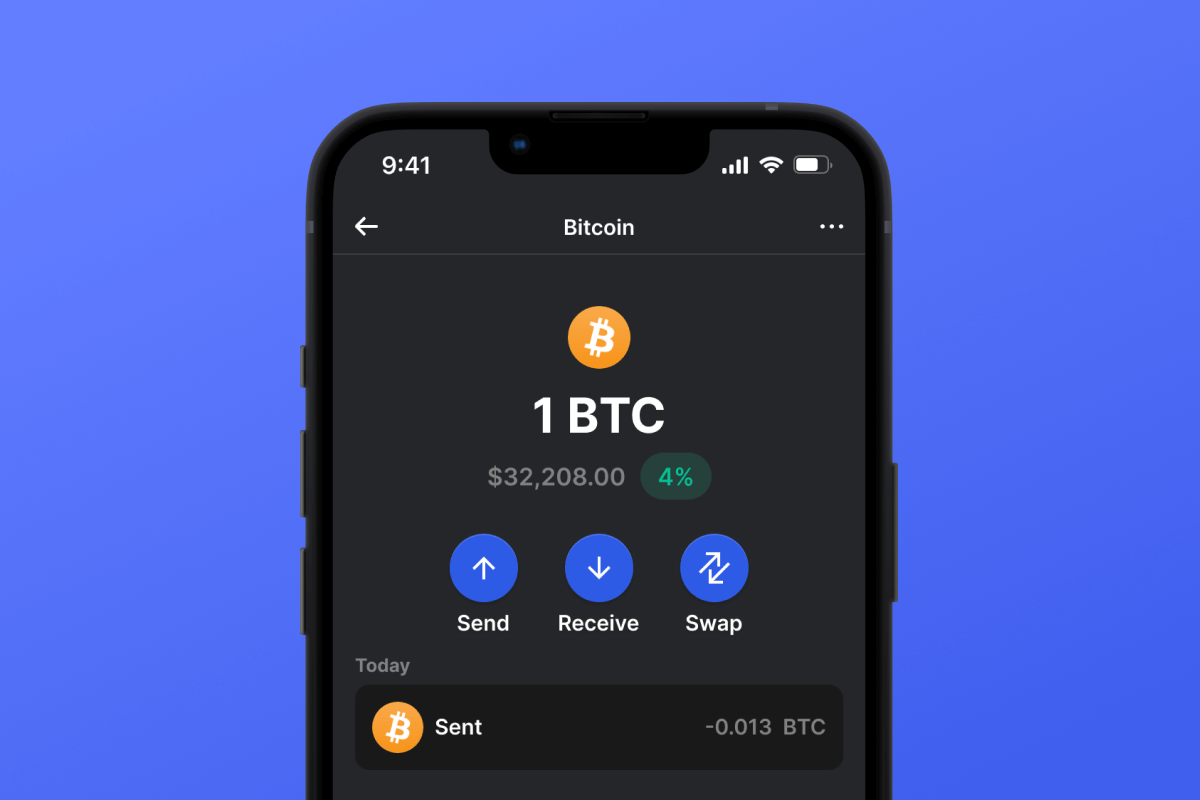
2 Tap "Receive" Button

You'll see a large button at the bottom of the screen. Your Lightning Network wallet address will be displayed both as text and as a QR code.

3 Copy Your Address

Copy the address to clipboard, share the QR code, or send it directly through messaging apps.

Get Lightning Network wallet address in Gem Wallet
🔄 Unlimited Addresses

In Gem Wallet, you can generate unlimited Lightning Network addresses for free. Each address is derived from your seed phrase and remains under your control forever.

📱 Using QR Codes

No Typing Errors - Scanning prevents copy-paste mistakes

Faster Transactions - Just show your phone screen

Perfect for in-person Lightning Network payments