



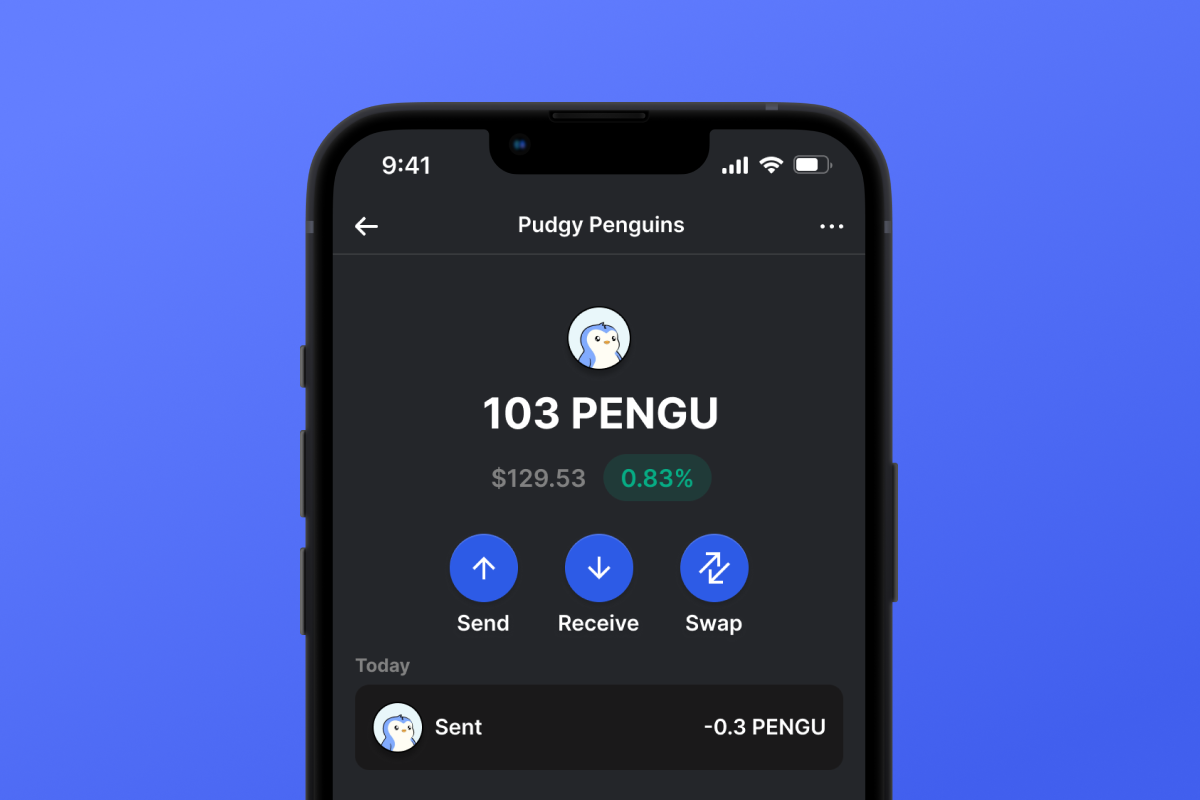
Pudgy Penguins Coin

Pudgy Penguins 钱包

在 Solana 区块链上与 Pudgy Penguins (PENGU) 一起踏上限量版之旅。管理您的独家、社区驱动的收藏品,包括精心策划的艺术品和稀缺的代币经济学。PENGU 是收藏家和爱好者的理想选择,它融合了稀有性和尖端技术,是您通往真正身临其境的加密体验的门户。

Pudgy Penguins 钱包

什么是 Pudgy Penguins (PENGU)?

Pudgy Penguins (PENGU) 是 Solana 区块链上独特的 SPL 代币 ,将深受喜爱的 Pudgy Penguins 社区带入去中心化金融领域。PENGU 代币总供应量有限,为 88,888,888,888 个,将可收藏 NFT 的魅力与 Solana 的效率和可扩展性相结合。加入充满活力的生态系统,在这里,俏皮的艺术与尖端的区块链技术相遇。

PENGU 钱包的优势

PENGU 钱包是每一位 Pudgy Penguins 爱好者的必备之物,它提供一系列优势,旨在提升您的数字资产体验:

  • 安全且私密: 使用自托管钱包保护您的 PENGU 代币,确保您始终完全控制您的资产。
  • 轻松管理: 通过直观且用户友好的界面,在 iOS 和 Android 设备上轻松管理、发送和交易您的 PENGU 代币。
  • 供应有限: 总供应量上限为 88,888,888,888 个 PENGU 代币,在蓬勃发展的社区中享受稀缺性和潜在价值增值带来的好处。
  • Solana 集成: 利用 Solana 区块链的快速和低成本交易。通过购买 SOL 来支付网络费用,确保平稳运行。
  • 社区驱动: 与充满热情的 Pudgy Penguins 持有者社区互动,参加独家活动,并为生态系统的持续发展做出贡献。
  • NFT 兼容性: 将您的 PENGU 代币与 Pudgy Penguins NFT 无缝集成,通过增加实用性和功能性增强您的收藏体验。
  • 创新功能: 借助即将推出的功能保持领先地位,例如质押、治理和新版本的独家访问,所有这些功能均由强大的 Solana 网络提供支持。

使用 PENGU 钱包拥抱 Pudgy Penguins 的俏皮力量。立即下载以释放您最喜爱的收藏代币的全部潜力,并加入一个充满乐趣和创新的社区。

为什么 Pudgy Penguins Wallet Gem 是最佳选择?

Gem Wallet 是一款领先的加密货币钱包解决方案,它将安全性、隐私性和易用性完美融合在一个强大的应用程序中。以下是用户选择 Gem Wallet 来满足其加密货币需求的原因:

完全控制

您完全掌控自己的私钥和助记词。任何第三方都无法访问或限制您的 Pudgy Penguins。您的 Pudgy Penguins 完全属于您。

隐私保护

不追踪,不收集个人信息,不收集数据。完全保护您的 Pudgy Penguins 的隐私和控制权。

开源

公开可用的代码 GitHub允许任何人验证安全性和功能性。

跨平台

适用于 iOS、Android 和 APK。您的 Pudgy Penguins 钱包随时随地可用。

Pudgy Penguins 多语言钱包

支持包括英语、西班牙语、中文、俄语和阿拉伯语在内的25种以上语言。完全本地化,全球通用。

内置 Pudgy Penguins 服务

使用 30 多种支付方式购买 Pudgy Penguins。 交换 PENGU 通过集成的去中心化交易所聚合器,在一个安全的地方管理所有加密资产。

对比:Gem钱包 vs 交易所钱包

了解将 Pudgy Penguins 存储在 Gem Wallet 中与将其存储在交易所中有何不同。

特征Gem Wallet交易所钱包(币安、Coinbase)
需注册✅ 无❌ 完整 KYC 流程
个人数据收集✅ 无❌ 要求详尽(身份证件、地址、自拍照)
开源✅ 完全透明❌ 闭源
私钥控制✅ 是的❌ 否
账户冻结✅ 不可能❌ 可能
设置时间✅ 2分钟⚠️ 1-7天(KYC验证)

专业安全功能

  1. 生物特征认证使用面容 ID、触控 ID 或指纹来保护您的钱包
  2. PIN码保护设置强密码作为额外的安全保障。
  3. 加密备份您的助记词已安全存储,绝不会离开您的设备。
  4. 定期安全审计独立的安全审查确保钱包的完整性。 了解更多安全信息 →
Gem Wallet private key security and self-custody crypto wallet features

用户对 Gem Pudgy Penguins 钱包的评价

如何在2分钟内设置一个Pudgy Penguins钱包

快速设置指南(3 个步骤)

创建 Pudgy Penguins 钱包比开银行账户还简单。Gem Wallet 会在几分钟内引导您完成整个过程,即使是完全的新手也能轻松上手。

onboarding view

1. 获取 Pudgy Penguins 钱包

Pudgy Penguins 钱包: iOS Android & APK

recovery phrase screen

2. 创建 Pudgy Penguins 钱包

创建新钱包,保存密码,并获取你的地址 Pudgy Penguins.

gem wallet security settings

3. Set Up Security for PENGU

Enable PIN or biometric authentication and you're ready to go

Create Pudgy Penguins Wallet for iOS

Creating a Pudgy Penguins wallet on iPhone (2 min):

  1. Open the App Store and search for "Gem Wallet"
  2. Download and install the app (it's free and under 50MB)
  3. Open Gem Wallet and tap "Create New Wallet"
  4. Write down your seed phrase on paper - this is your master backup
  5. Enable Face ID or set a PIN code for quick and secure access
  6. Done! Your Pudgy Penguins wallet address is now active
下载Gem 钱包 for iOS
iOS Pudgy Penguins wallet

Create Pudgy Penguins Wallet for Android

Creating a Pudgy Penguins wallet on Android (2 min):

  1. Via Google Play: Search for "Gem Wallet" in the Play Store and install
  2. Via Direct APK: Download the APK file for maximum privacy and control
  3. Open the app and select "Create New Wallet"
  4. Write down your 12-word seed phrase on paper
  5. Set up fingerprint or PIN authentication
  6. Your Pudgy Penguins wallet is ready to use
Android Pudgy Penguins wallet

Pudgy Penguins Wallet Without Registration

One of Pudgy Penguins's core principles is financial freedom and privacy. Gem Wallet embodies this philosophy by offering a Pudgy Penguins wallet without registration - no email, no phone number, no identity verification required.

Why No-Registration Wallets Matter

Custodial Pudgy Penguins wallets and centralized exchanges (Coinbase, Binance) require extensive personal information through KYC (Know Your Customer) verification. Unlike self-custodial wallets, this creates several problems:

  • Privacy Risks: Your financial activity is tracked and can be sold to third parties or accessed by bad actors
  • Data Breaches: Centralized databases of personal information are prime targets for hackers
  • Censorship: Accounts can be frozen or restricted based on location, political views, or arbitrary decisions
  • Time-Consuming: KYC processes can take days or weeks to complete

Gem Wallet: True Private Pudgy Penguins Wallet

With Gem Wallet, you can create and use a Pudgy Penguins wallet with complete privacy:

  • No email address required
  • No phone number needed
  • No identity documents or selfies
  • No IP address tracking
  • No mandatory account creation

Simply download the app, create your wallet, and start using Pudgy Penguins within minutes. Your privacy is protected from the moment you install the app.

如何获取 Pudgy Penguins 地址

要获取 Pudgy Penguins 钱包地址,您首先需要创建或导入一个 Pudgy Penguins 钱包。之后,应用程序将自动为您生成地址。

1 打开 Gem 钱包

在手机上启动应用程序,然后从资产列表中选择 Pudgy Penguins (PENGU)。

2 点击“接收”按钮

屏幕底部会显示一个大按钮。您的 Pudgy Penguins 钱包地址将以文本和二维码两种形式显示。

3 复制您的地址

复制地址到剪贴板,分享二维码,或直接通过即时通讯应用发送。

Get Pudgy Penguins wallet address in Gem Wallet
🔄 无限地址

在 Gem Wallet 中,您可以免费生成无限量的 Pudgy Penguins 地址。每个地址都源自您的助记词,并永久由您掌控。

📱 使用二维码
  • 没有拼写错误 扫描可以防止复制粘贴错误
  • 更快的交易 只需展示你的手机屏幕
  • 非常适合面对面交流 Pudgy Penguins 支付



















