



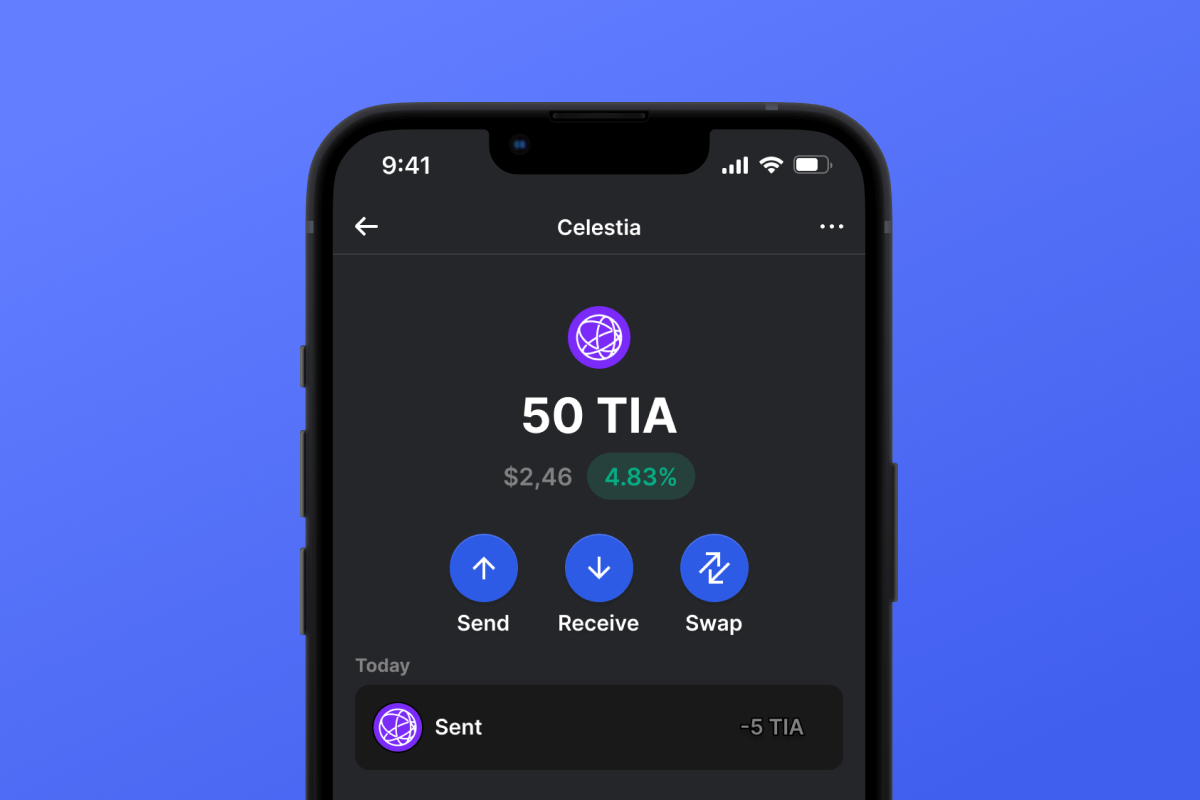
Celestia (TIA) Coin

Celestia (TIA) Cüzdan

Celestia cüzdanının son teknoloji yeteneklerini deneyimleyin! Celestia ağında sorunsuz işlemlere olanak tanıyan uygulamamızla modüler blok zinciri teknolojisinin dünyasını kucaklayın. Celestia cüzdan uygulamamız, hem iOS hem de Android kullanıcıları için birinci sınıf özellikler ve güvenliği bir araya getiriyor. Hemen indirin ve Celestia blok zinciriyle geleceğin bir parçası olun.

Celestia (TIA) Cüzdan

Celestia Nedir?

TIA olarak da bilinen Celestia, ölçeklenebilirliği yeniden tanımlayan çığır açan bir modüler blok zinciri platformudur. Yenilikçi mimarisi, özelleştirilmiş blok zincirlerinin basit bir şekilde oluşturulmasını sağlayarak dijital alanda yeni bir verimlilik ve kullanıcı özerkliği düzeyi sağlar.

Celestia'yı Benzersiz Kılan Nedir?

Celestia, benzeri görülmemiş bir esnekliği teşvik eden modüler blok zinciri yapısıyla öne çıkıyor. Veri kullanılabilirliği örneklemesinde öncü olarak hafif düğümlerin işlemleri verimli bir şekilde doğrulamasını sağlıyor. Konsensüs ve yürütme katmanlarına yönelik bu benzersiz yaklaşım, Celestia'yı blok zinciri alanında farklı kılıyor.

Celestia Cüzdanının Avantajları

Celestia Cüzdanı ile kullanıcılar rakipsiz avantajlar alanına adım atıyor. Bu kendi kendini muhafaza eden, açık kaynaklı mobil cüzdan size şunları sağlar:

  • Gelişmiş Güvenlik : En son güvenlik teknolojisini kullanarak, Celestia ağıyla deneyiminizin ve TIA token'larınızın güvenliğinin her zaman en üst düzeyde olmasını sağlıyoruz. Platformumuzun açık kaynaklı yapısı, ekstra bir güvenlik ve şeffaflık katmanı ekler.

  • Güvenilirlik : Kendi kendini muhafaza eden çözümümüzle, TIA varlıklarınıza yalnızca siz erişebilir ve böylece tam kontrol ve gönül rahatlığı sağlayabilirsiniz.

  • Kullanıcı Dostu Arayüz : Sezgisel arayüzümüz, Celestia ile etkileşiminizi hem rahat hem de keyifli hale getirmek için tasarlanmıştır.

  • Platformlar Arası Erişilebilirlik : Celestia Cüzdanı hem Android hem de iOS için kullanılabilir ve farklı cihazlarda esneklik ve erişim kolaylığı sağlar.

  • Bilgilendirilmeye Devam Edin : Bilgilendirici bir TIA varlık grafiği ve güncel token fiyatlandırması, varlıklarınızın sermayelendirilmesi hakkında sizi iyi bilgilendirir.

  • Doğrudan Satın Alma : Kredi kartı kullanarak doğrudan cüzdanınızdan Celestia satın alın . Basit, hızlı ve kullanışlıdır.

Celestia ile modüler blok zincirini keşfedin - bugün bize katılın! İndirin ve modülerliğin avantajını deneyimleyin!

Celestia Cüzdanından Doğrudan Stake Edin

Celestia token'larınızı yalnızca güvenli ve rahat bir şekilde değil, aynı zamanda karlı bir şekilde de saklayabilirsiniz. Token'larınızı basitçe Celestia staking e devredin ve sermayenizden pasif gelir elde edin. Gelir elde etmenin yanı sıra, tüm Celestia blok zincirinin güvenliğini ve güvenilirliğini sağlamada rol oynayacaksınız - çok sorumlu bir rol. Aşağıda verilen staking hesaplayıcısını kullanarak potansiyel kazançlarınızı tahmin edebilirsiniz.

Why Gem Celestia (TIA) Wallet App Is the Best Choice?

Gem Wallet stands out as a leading Celestia (TIA) wallet solution, combining security, privacy, and usability in one powerful app. Here's why users choose Gem Wallet for their Celestia (TIA) needs:

Complete Control and Self-Custody

Full control of your private keys and seed phrase. No third party can access or restrict your Celestia (TIA). Your Celestia (TIA) is truly yours.

Maximum Privacy Protection

No tracking, no personal information, no data collection. Complete privacy and control over your Celestia (TIA).

Open-Source Transparency

Publicly available code on GitHub. Anyone can verify security and functionality, ensuring no hidden backdoors or vulnerabilities.

Multi-Platform Availability

Available on iOS, Android, and APK. Your Celestia (TIA) wallet works wherever you go.

Celestia (TIA) Wallet in Multiple Languages

Supporting 25+ languages including English, Russian, Spanish, Chinese, and Arabic. Fully localized for worldwide accessibility.

Built-In Celestia (TIA) Services

Buy Celestia (TIA) with 30+ payment methods. Swap TIA through integrated DEX aggregator. Manage all crypto assets in one secure place.

Comparison: Gem Wallet vs Exchange Wallets

See how storing Celestia (TIA) in Gem Wallet differs from keeping it on exchanges

FeatureGem WalletExchange Wallets (Binance, Coinbase)
Registration Required❌ No✅ Yes (Full KYC)
Personal Data Collection❌ None✅ Extensive (ID, address, selfie)
Private Keys Control✅ You own them❌ Exchange controls
Account Can Be Frozen❌ Impossible✅ Yes
Setup Time2 minutes1-7 days (KYC verification)

Professional Security Features

  1. Biometric Authentication: Use Face ID, Touch ID, or fingerprint to secure your wallet
  2. PIN Protection: Set a strong PIN code as an additional security layer
  3. Encrypted Backups: Your seed phrase is stored securely and never leaves your device
  4. Regular Security Audits: Independent security reviews ensure wallet integrity
Gem Wallet private key security and self-custody crypto wallet features

What Users Say About Gem Celestia (TIA) Wallet

Quick Setup Guide (3 Steps)

How to Set Up a Celestia (TIA) Wallet in 2 Minutes

Creating a Celestia (TIA) wallet is simpler than opening a bank account. Gem Wallet guides you through the entire process in minutes, making it accessible for complete beginners.

onboarding view

1. Almak Celestia (TIA) Cüzdan

Celestia (TIA) Cüzdan: iOS , Android & APK

recovery phrase screen

2. Oluştur Celestia (TIA) Cüzdan

Yeni bir cüzdan oluşturun, gizli ifadeyi kaydedin ve adresinizi alın Celestia (TIA).

3. Set Up Security for TIA

Enable PIN or biometric authentication and you're ready to go

Create Celestia (TIA) Wallet for iOS

Creating a Celestia (TIA) wallet on iPhone (2 min):

  1. Open the App Store and search for "Gem Wallet"
  2. Download and install the app (it's free and under 50MB)
  3. Open Gem Wallet and tap "Create New Wallet"
  4. Write down your seed phrase on paper - this is your master backup
  5. Enable Face ID or set a PIN code for quick and secure access
  6. Done! Your Celestia (TIA) wallet address is now active

Create Celestia (TIA) Wallet for Android

Creating a Celestia (TIA) wallet on Android (2 min):

  1. Via Google Play: Search for "Gem Wallet" in the Play Store and install
  2. Via Direct APK: Download the APK file for maximum privacy and control
  3. Open the app and select "Create New Wallet"
  4. Write down your 12-word seed phrase on paper
  5. Set up fingerprint or PIN authentication
  6. Your Celestia (TIA) wallet is ready to use

Celestia (TIA) Wallet Without Registration

One of Celestia (TIA)'s core principles is financial freedom and privacy. Gem Wallet embodies this philosophy by offering a Celestia (TIA) wallet without registration - no email, no phone number, no identity verification required.

Why No-Registration Wallets Matter

Custodial Celestia (TIA) wallets and centralized exchanges (Coinbase, Binance) require extensive personal information through KYC (Know Your Customer) verification. Unlike self-custodial wallets, this creates several problems:

  • Privacy Risks: Your financial activity is tracked and can be sold to third parties or accessed by bad actors
  • Data Breaches: Centralized databases of personal information are prime targets for hackers
  • Censorship: Accounts can be frozen or restricted based on location, political views, or arbitrary decisions
  • Time-Consuming: KYC processes can take days or weeks to complete

Gem Wallet: True Private Celestia (TIA) Wallet

With Gem Wallet, you can create and use a Celestia (TIA) wallet with complete privacy:

  • No email address required
  • No phone number needed
  • No identity documents or selfies
  • No IP address tracking
  • No mandatory account creation

Simply download the app, create your wallet, and start using Celestia (TIA) within minutes. Your privacy is protected from the moment you install the app.

How to Get a Celestia (TIA) Address

To get a Celestia (TIA) wallet address, you first need to create or import a TIA wallet. After that, the app will generate addresses for you automatically.

1 Open Gem Wallet

Launch the app on your phone and select Celestia (TIA) (TIA) from your asset list.

2 Tap "Receive" Button

You'll see a large button at the bottom of the screen. Your Celestia (TIA) wallet address will be displayed both as text and as a QR code.

3 Copy Your Address

Copy the address to clipboard, share the QR code, or send it directly through messaging apps.

Get Celestia (TIA) wallet address in Gem Wallet
🔄 Unlimited Addresses

In Gem Wallet, you can generate unlimited Celestia (TIA) addresses for free. Each address is derived from your seed phrase and remains under your control forever.

📱 Using QR Codes

No Typing Errors - Scanning prevents copy-paste mistakes

Faster Transactions - Just show your phone screen

Perfect for in-person Celestia (TIA) payments


















