


Tempo Coin

Tempo Wallet

Gem Wallet is a self-custodial Tempo wallet for stablecoin payments on iOS, Android, and APK. It lets you create a Tempo wallet in under two minutes and send, receive, swap, or buy USDC, USDT, and other TIP-20 stablecoins on the Tempo network. Built for a blockchain where fees are paid in stablecoins and blocks finalize in under a second, Gem Wallet turns Tempo into a simple everyday payments app. Gem Wallet keeps you in full control of your funds - no accounts, no KYC, no tracking.

Tempo Wallet

What Is the Tempo Blockchain?

Tempo is a Layer 1 blockchain purpose-built for payments, incubated by Paradigm and Stripe and developed with input from fintechs and Fortune 500 companies including Visa, Mastercard, Deutsche Bank, Shopify, Revolut, and OpenAI. The Tempo mainnet went live on March 18, 2026, and is designed around the requirements of real payment systems: blocks finalize deterministically in about 0.6 seconds with no re-orgs, and a basic stablecoin transfer typically costs less than $0.001. Tempo is fully EVM-compatible, so it works with standard Ethereum addresses and tooling.

A Stablecoin-Native Network

Unlike most blockchains, Tempo has no native gas coin. Transaction fees are paid directly in USD stablecoins such as USDC and USDT, which keeps costs predictable and accounting simple. Assets on Tempo use the TIP-20 token standard - an extension of ERC-20 with structured payment memos, compliance controls, and fee handling built for invoices, payroll, and remittances. The network adds dedicated payment lanes with guaranteed blockspace, so transfer fees stay low and stable even when activity spikes, and a built-in DEX keeps liquidity between stablecoins on-chain. Tempo also powers the Machine Payments Protocol, which lets AI agents and software pay for services autonomously.

What Is a Tempo Wallet and Why Do You Need One?

A Tempo wallet is an app that creates and manages your address on the Tempo network so you can hold, send, and receive stablecoins like USDC and USDT on Tempo rails. Because Tempo is EVM-compatible, your Tempo address is a standard Ethereum-style address - but you need a stablecoin wallet that connects to the Tempo network, understands TIP-20 tokens, and pays fees in stablecoins instead of a gas coin. With a self-custodial Tempo wallet, you keep the private keys, so your digital dollars stay under your control instead of sitting on an exchange.

Tempo Network at a Glance

ParameterTempo
TypeLayer 1 blockchain for payments
Mainnet launchMarch 18, 2026
Finality~0.6 seconds, deterministic, no re-orgs
Token standardTIP-20 (ERC-20 extension with payment memos)
GasPaid in USD stablecoins, no native gas coin
Typical transfer feeUnder $0.001
EVM compatibilityYes, standard Ethereum addresses and tooling
Incubated byParadigm and Stripe

Source: tempo.xyz, as of mid-2026.

Tempo Wallet Features in Gem Wallet

  • Ready in Minutes: Create a Tempo wallet in under two minutes - one recovery phrase gives you a Tempo address alongside 100+ other networks.
  • Stablecoins on Tempo: Hold and transfer USDC, USDT, and other TIP-20 stablecoins with live prices and full transaction history in one app.
  • Built-In DEX Aggregator: Swap stablecoins and other assets right inside the app through the integrated DEX aggregator - no browser extension or separate swap site.
  • Buy with a Card: Buy USDC and other assets with your card in a few clicks and fund your Tempo wallet quickly.
  • Sub-Cent Payments: Send digital dollars globally with fees under $0.001 and settlement in about 0.6 seconds - practical for remittances, payouts, and everyday transfers.
  • Self-Custodial and Open-Source: Your private keys are encrypted on your device, and the code is open for anyone to audit - no accounts, no KYC, no tracking.

Download Gem Wallet today and use the Tempo network the way it was designed - instant, sub-cent stablecoin payments with full self-custody on mobile.

Why Choose Gem Wallet as Your Tempo Wallet

Gem Wallet is a Tempo wallet where you control your keys and your funds. The code is publicly available on GitHub. Your activity is not tracked, and you can buy, swap, and use Tempo directly from the app.

Self-Custody

Control and Self-Custody

Full control of your private keys and secret phrase. No third party can access or restrict your TEMPO. Your TEMPO is truly yours.

Privacy

Privacy Protection

No tracking, no personal information, no data collection. Complete privacy and control over your Tempo.

Open-Source

Audited

Publicly available code on GitHub, independently audited by CertiK in April 2026.

Staking

Multi-Platform

Available on iOS, Android, and APK. Your Tempo wallet works wherever you go.

Pioneer

Tempo Wallet in Multiple Languages

Supporting 25+ languages including English, Spanish, Chinese, Russian, and Arabic. Fully localized for worldwide accessibility.

Cross-chain

Built-In Tempo Services

Buy Tempo with 30+ payment methods. Swap TEMPO through integrated DEX aggregator. Manage all crypto assets in one secure place.

Comparison: Gem Wallet vs Exchange Wallets

See how storing Tempo in Gem Wallet differs from keeping it on exchanges

FeatureGem WalletExchange Wallets (Binance, Coinbase)
Registration Required✅ None❌ Full KYC
Personal Data Collection✅ None❌ Extensive (ID, address, selfie)
Open-Source✅ Fully transparent❌ Closed source
Private Keys Control✅ Yes❌ No
Account Freezing✅ Impossible❌ Possible
Setup Time✅ 2 minutes⚠️ 1-7 days (KYC verification)

Professional Security Features

  1. Biometric Authentication: Use Face ID, Touch ID, or fingerprint to secure your wallet
  2. PIN Protection: Set a strong PIN code as an additional security layer
  3. Encrypted Backups: Your secret phrase is stored securely and never leaves your device
  4. Regular Security Audits: Independent security reviews ensure wallet integrity. Learn more about security →
Gem Wallet private key security and self-custody crypto wallet features

What Tempo Users Say About Gem Wallet

How to Set Up a Tempo Wallet in 2 Minutes

Quick Setup Guide (3 Steps)

Creating a Tempo wallet is simpler than opening a bank account. Gem Wallet guides you through the entire process in minutes, making it accessible for complete beginners.

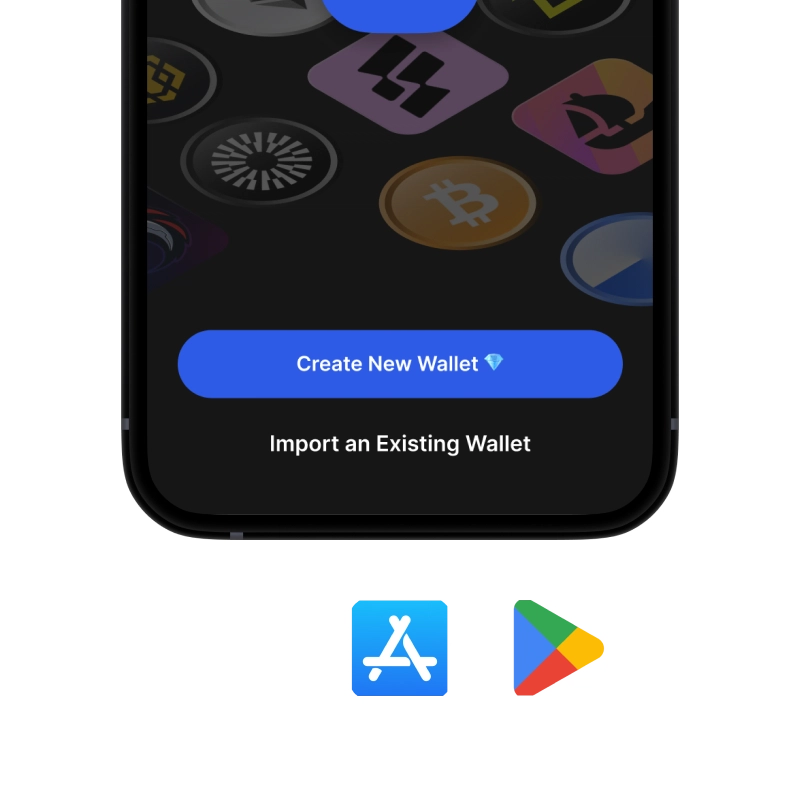
onboarding view

1. Download Tempo Wallet

Tempo Wallet: iOS, Android & APK

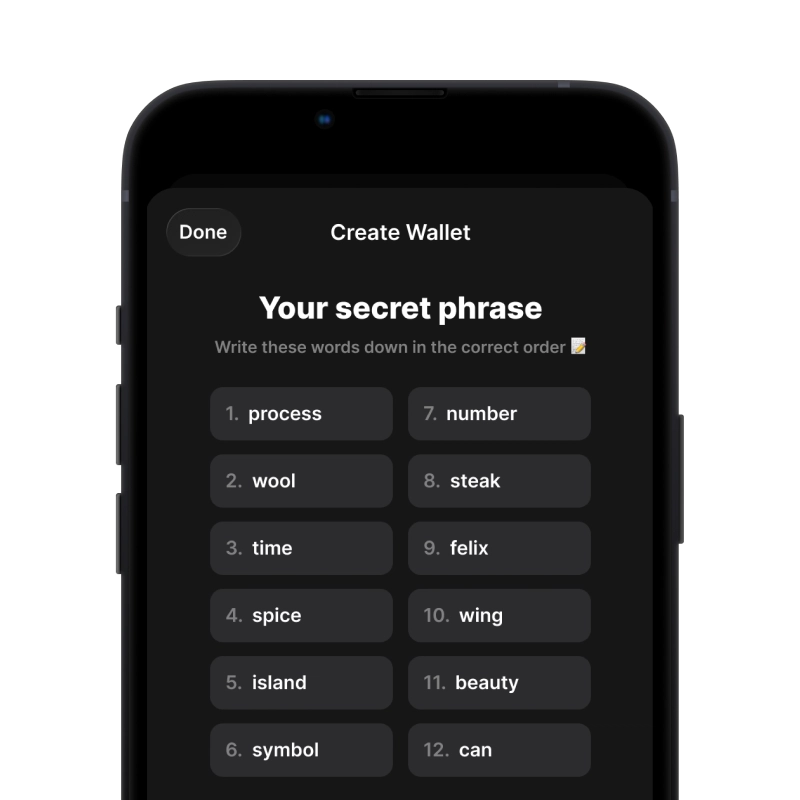
recovery phrase screen

2. Create Tempo Wallet

Create a new wallet, save the secret phrase, and get your address in Tempo.

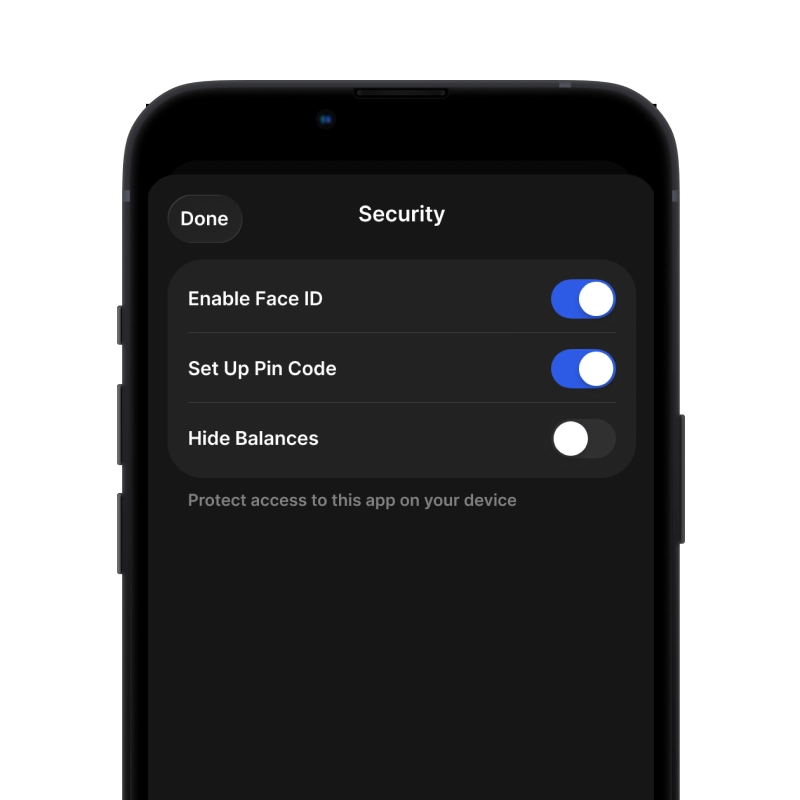
gem wallet security settings

3. Set Up Security for TEMPO

Enable PIN or biometric authentication and you're ready to go

Create Tempo Wallet for iOS

Get your TEMPO wallet on iPhone (2 min):

  1. Open the App Store and search for "Gem Wallet"
  2. Download and install the app (it's free and under 50MB)
  3. Open Gem Wallet and tap "Create New Wallet"
  4. Write down your secret phrase on paper - this is your master backup
  5. Enable Face ID or set a PIN code for quick and secure access
  6. Done!
Download Gem Wallet for iOS
Tempo wallet for iOS

Create Tempo Wallet for Android

Get your TEMPO wallet on Android (2 min):

  1. Via Google Play: Search for "Gem Wallet" in the Play Store and install
  2. APK: Download the APK file for maximum privacy and control
  3. Open the app and select "Create New Wallet"
  4. Write down your 12-word secret phrase on paper
  5. Set up fingerprint or PIN authentication
  6. Done!
Tempo wallet for Android

How to Get a Tempo Address

To get a Tempo wallet address, you first need to create or import a Tempo wallet. After that, the app will generate addresses for you automatically.

1 Open Gem Wallet

Launch the app on your phone and select Tempo (TEMPO) from your asset list.

2 Tap "Receive" Button

You'll see a large button at the bottom of the screen. Your Tempo wallet address will be displayed both as text and as a QR code.

3 Copy Your Address

Copy the address to clipboard, share the QR code, or send it directly through messaging apps.

Get Tempo wallet address in Gem Wallet
🔄 Unlimited Addresses

In Gem Wallet, you can generate unlimited Tempo addresses for free. Each address is derived from your secret phrase and remains under your control forever.

📱 Using QR Codes
  • No Typing Errors - Scanning prevents copy-paste mistakes
  • Faster Transactions - Just show your phone screen
  • Perfect for in-person TEMPO payments

Frequently Asked Questions

Tempo is a Layer 1 blockchain built specifically for payments with stablecoins. It was incubated by Paradigm and Stripe, designed together with fintechs and Fortune 500 companies, and launched its mainnet on March 18, 2026. Tempo offers deterministic finality in about 0.6 seconds, transfer fees under $0.001, and full EVM compatibility.
No. Tempo launched without a native coin, and there is no TEMPO token used for gas. Transaction fees are paid directly in USD stablecoins such as USDC and USDT. This removes exposure to a volatile gas asset and keeps the cost of every payment predictable.
Download Gem Wallet for iOS, Android, or as an APK, create a new wallet, and back up your recovery phrase. Your Tempo address is generated automatically along with 100+ other networks, and it takes under two minutes. Since Gem Wallet is self-custodial, only you hold the keys - no accounts or KYC required.
Tempo is built around USD stablecoins, with USDC and USDT among the main assets on the network. Tokens on Tempo follow the TIP-20 standard, and the ecosystem includes stablecoins from regulated issuers in other currencies as well. Any TIP-20 stablecoin can also be used to pay transaction fees.
TIP-20 is Tempo's token standard for stablecoins and payment assets. It extends the familiar ERC-20 standard with structured payment memos for invoices and identifiers, compliance controls for regulated issuers, and native fee payment. For users it works like any other token - you send and receive it from a regular EVM-style address.
Blocks on Tempo finalize in about 0.6 seconds with no re-orgs, so a payment settles almost instantly and cannot be reversed by the network. A basic stablecoin transfer typically costs less than $0.001, and dedicated payment lanes keep fees stable even when network activity spikes.

Your Tempo Wallet Is Ready

App Store 4.9 ★ on App Store | Google Play 4.8 ★ on Google Play
Download Now