



ERC20 Coin

ERC20 Portfel

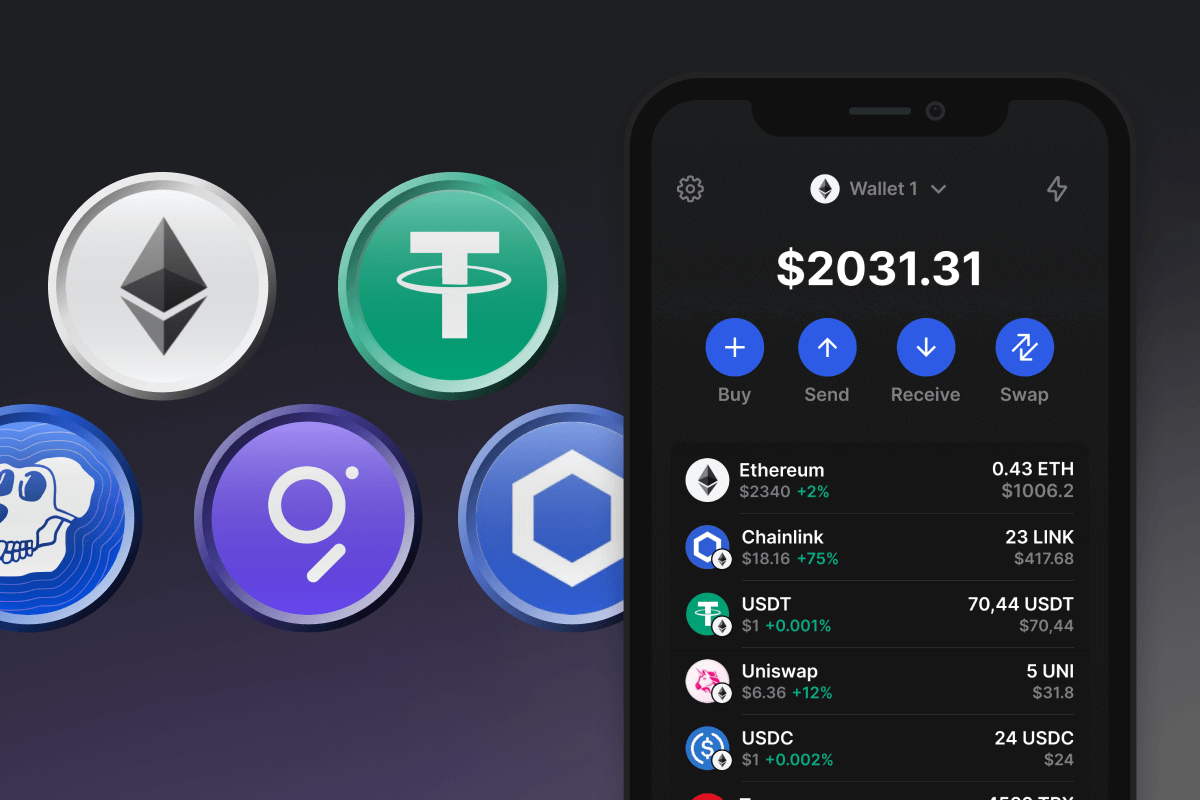
Portfel ERC20 dla Twoich tokenów Ethereum to najlepsze rozwiązanie dla nowej ery finansów cyfrowych. Bezpiecznie przechowuj, kupuj i zarządzaj tokenami ERC20 z łatwością. Prywatny portfel ERC20 o otwartym kodzie źródłowym to najlepsze rozwiązanie dla blockchain Ethereum! Pobierz teraz!

ERC20 Portfel

Co to jest ERC20?

ERC20, co oznacza Ethereum Request for Comment, numer 20, to standard techniczny używany w inteligentnych kontraktach na blockchainie Ethereum. To „podręcznik”, którego musi przestrzegać każdy token w sieci Ethereum . Pomyśl o tym jak o zestawie wytycznych lub wspólnym języku, którego muszą przestrzegać wszystkie tokeny Ethereum. Ta standaryzacja pozwala różnym tokenom na bezproblemową interakcję ze sobą i z innym oprogramowaniem, takim jak portfele i giełdy.

Tokeny ERC-20 są niezwykle wszechstronne i były używane do reprezentowania wszystkiego, od walut cyfrowych i aktywów po prawa głosu, a nawet dostęp do niektórych usług w ekosystemie blockchain. W świecie Ethereum, ERC20 jest złotym standardem interoperacyjności i funkcjonalności tokenów. Kilka przykładów dobrze znanych tokenów, które istnieją w sieci Ethereum to USDT , DAI, USDC , WETH, SHIB , PEPE i wiele innych.

Co to jest portfel ERC20?

Portfel ERC20 to cyfrowy portfel, który może przechowywać i zarządzać tokenami ERC20 w Ethereum. Podobnie jak fizyczny portfel, którego używasz do przechowywania różnych typów walut, portfel Ethereum ERC20 może przechowywać różne typy tokenów w oparciu o standard ERC-20.

Portfel ERC20 pozwala nie tylko przechowywać i zarządzać tokenami, ale także w pełni współdziałać z całym blockchainem Ethereum. Obejmuje to korzystanie z różnych platform DeFi, projektów gier, handel na zdecentralizowanych giełdach, zakup NFT i wiele więcej.

Zalety portfela ERC20

Dzięki portfelowi ERC20 nie potrzebujesz już tysięcy innych witryn i aplikacji. Wszystko, czego potrzebujesz do pracy, jest na wyciągnięcie ręki.

  • Zwiększone bezpieczeństwo : Portfel ERC20 zawsze wyprzedza konkurencję, wykorzystując najnowocześniejsze technologie bezpieczeństwa i wdraża nowoczesne standardy w celu ochrony Twoich aktywów kryptograficznych i prywatnych informacji.

  • Oprogramowanie typu open source i samodzielne przechowywanie : Portfel ERC20 to portfel Ethereum z samodzielnym przechowywaniem i otwartym kodem źródłowym. Dbanie o bezpieczeństwo Twojej frazy początkowej jest Twoją odpowiedzialnością, podczas gdy przejrzystość wobec użytkowników jest naszą odpowiedzialnością.

  • Przyjazny dla użytkownika interfejs : Zarządzanie tysiącami tokenów w blockchainie Ethereum może być koszmarem, ale dzięki portfelowi ERC20 obsługa Twoich tokenów jest łatwa i bezwysiłkowa. Funkcje wyszukiwania, przypinanie, strony informacyjne i inne narzędzia pomogą Ci z łatwością zorganizować Twoje kryptoportfele.

  • Portfel Cross-Blockchain : Nie ograniczaj się do tokenów Ethereum — zmaksymalizuj technologię blockchain, niezależnie od tego, czy jest to Bitcoin, Solana, TON czy inne blockchainy.

  • Bezpośredni zakup ETH : Zawsze możesz kupić ETH potrzebne do pokrycia opłat sieciowych podczas wysyłania tokenów Ethereum w swoim portfelu ERC20 za pomocą karty kredytowej.

Zanurz się w niesamowitym świecie tokenów na blockchainie Ethereum. Pobierz portfel ERC20 na iOS, Androida lub pobierz bezpośrednio plik APK.

Why Gem ERC20 Wallet App Is the Best Choice?

Gem Wallet stands out as a leading ERC20 wallet solution, combining security, privacy, and usability in one powerful app. Here's why users choose Gem Wallet for their ERC20 needs:

Complete Control and Self-Custody

Full control of your private keys and seed phrase. No third party can access or restrict your ERC20. Your ERC20 is truly yours.

Maximum Privacy Protection

No tracking, no personal information, no data collection. Complete privacy and control over your ERC20.

Open-Source Transparency

Publicly available code on GitHub. Anyone can verify security and functionality, ensuring no hidden backdoors or vulnerabilities.

Multi-Platform Availability

Available on iOS, Android, and APK. Your ERC20 wallet works wherever you go.

ERC20 Wallet in Multiple Languages

Supporting 25+ languages including English, Russian, Spanish, Chinese, and Arabic. Fully localized for worldwide accessibility.

Built-In ERC20 Services

Buy ERC20 with 30+ payment methods. Swap ERC20 through integrated DEX aggregator. Manage all crypto assets in one secure place.

Comparison: Gem Wallet vs Exchange Wallets

See how storing ERC20 in Gem Wallet differs from keeping it on exchanges

FeatureGem WalletExchange Wallets (Binance, Coinbase)
Registration Required❌ No✅ Yes (Full KYC)
Personal Data Collection❌ None✅ Extensive (ID, address, selfie)
Private Keys Control✅ You own them❌ Exchange controls
Account Can Be Frozen❌ Impossible✅ Yes
Setup Time2 minutes1-7 days (KYC verification)

Professional Security Features

  1. Biometric Authentication: Use Face ID, Touch ID, or fingerprint to secure your wallet
  2. PIN Protection: Set a strong PIN code as an additional security layer
  3. Encrypted Backups: Your seed phrase is stored securely and never leaves your device
  4. Regular Security Audits: Independent security reviews ensure wallet integrity
Gem Wallet private key security and self-custody crypto wallet features

What Users Say About Gem ERC20 Wallet

Quick Setup Guide (3 Steps)

How to Set Up a ERC20 Wallet in 2 Minutes

Creating a ERC20 wallet is simpler than opening a bank account. Gem Wallet guides you through the entire process in minutes, making it accessible for complete beginners.

onboarding view

1. Zdobądź ERC20 Portfel

ERC20 Portfel: iOS , Android & APK

recovery phrase screen

2. Utwórz ERC20 Portfel

Utwórz nowy portfel, zapisz tajną frazę i wprowadź swój adres ERC20.

3. Set Up Security for ERC20

Enable PIN or biometric authentication and you're ready to go

Create ERC20 Wallet for iOS

Creating a ERC20 wallet on iPhone (2 min):

  1. Open the App Store and search for "Gem Wallet"
  2. Download and install the app (it's free and under 50MB)
  3. Open Gem Wallet and tap "Create New Wallet"
  4. Write down your seed phrase on paper - this is your master backup
  5. Enable Face ID or set a PIN code for quick and secure access
  6. Done! Your ERC20 wallet address is now active

Create ERC20 Wallet for Android

Creating a ERC20 wallet on Android (2 min):

  1. Via Google Play: Search for "Gem Wallet" in the Play Store and install
  2. Via Direct APK: Download the APK file for maximum privacy and control
  3. Open the app and select "Create New Wallet"
  4. Write down your 12-word seed phrase on paper
  5. Set up fingerprint or PIN authentication
  6. Your ERC20 wallet is ready to use

ERC20 Wallet Without Registration

One of ERC20's core principles is financial freedom and privacy. Gem Wallet embodies this philosophy by offering a ERC20 wallet without registration - no email, no phone number, no identity verification required.

Why No-Registration Wallets Matter

Custodial ERC20 wallets and centralized exchanges (Coinbase, Binance) require extensive personal information through KYC (Know Your Customer) verification. Unlike self-custodial wallets, this creates several problems:

  • Privacy Risks: Your financial activity is tracked and can be sold to third parties or accessed by bad actors
  • Data Breaches: Centralized databases of personal information are prime targets for hackers
  • Censorship: Accounts can be frozen or restricted based on location, political views, or arbitrary decisions
  • Time-Consuming: KYC processes can take days or weeks to complete

Gem Wallet: True Private ERC20 Wallet

With Gem Wallet, you can create and use a ERC20 wallet with complete privacy:

  • No email address required
  • No phone number needed
  • No identity documents or selfies
  • No IP address tracking
  • No mandatory account creation

Simply download the app, create your wallet, and start using ERC20 within minutes. Your privacy is protected from the moment you install the app.

How to Get a ERC20 Address

To get a ERC20 wallet address, you first need to create or import a ERC20 wallet. After that, the app will generate addresses for you automatically.

1 Open Gem Wallet

Launch the app on your phone and select ERC20 (ERC20) from your asset list.

2 Tap "Receive" Button

You'll see a large button at the bottom of the screen. Your ERC20 wallet address will be displayed both as text and as a QR code.

3 Copy Your Address

Copy the address to clipboard, share the QR code, or send it directly through messaging apps.

Get ERC20 wallet address in Gem Wallet
🔄 Unlimited Addresses

In Gem Wallet, you can generate unlimited ERC20 addresses for free. Each address is derived from your seed phrase and remains under your control forever.

📱 Using QR Codes

No Typing Errors - Scanning prevents copy-paste mistakes

Faster Transactions - Just show your phone screen

Perfect for in-person ERC20 payments

Często zadawane pytania

Portfel ERC20 to portfel kryptowalutowy przeznaczony do przechowywania, wysyłania i odbierania tokenów ERC20 w blockchainie Ethereum.
Po prostu pobierz portfel ERC20 z naszej strony internetowej i postępuj zgodnie z prostym procesem konfiguracji. Cała konfiguracja zajmuje zaledwie kilka minut.
Tak, korzystanie z portfela jest bezpłatne, jednak będziesz potrzebować pewnej kwoty ETH na pokrycie opłat za gaz przy wysyłaniu lub wymianie tokenów ERC20.
Oczywiście! Możesz przenieść tokeny ERC20 z giełd takich jak Binance, OKX i Bybit bezpośrednio do swojego portfela ERC20 z własnym depozytem.
Przechowuj swoją frazę Seed Phrase w bezpiecznym miejscu i nigdy jej nie udostępniaj. Jej utrata może oznaczać trwałą utratę dostępu do środków.
Tak! Portfel obsługuje wszystkie tokeny ERC20, w tym monety memowe, i umożliwia przechowywanie, wysyłanie, odbieranie, wymianę i kupowanie ich za pomocą karty kredytowej.


















