JETTON Coin

JETTON ウォレット

ネットワークへのフルアクセスへのゲートウェイであるJetton Walletで、TONの世界への旅に出かけましょう。セキュリティと使いやすさを重視する方のために設計されたオープンソースのセルフカストディウォレットで、あなたのジェトンを簡単かつ安全に管理しましょう。セキュリティと利便性が融合したJetton Walletで、TONブロックチェーンの可能性を解き放ちましょう。

JETTON ウォレット

TONブロックチェーンとは?

TONブロックチェーン、またはTelegram Open Networkは、何百万人ものユーザーにスケーラブルでユーザーフレンドリーなサービスを提供するように設計された高性能ブロックチェーンプラットフォームです。独自のマルチブロックチェーンアーキテクチャを活用し、迅速な取引とスマートコントラクトの効率的な処理を可能にし、マイクロペイメントから分散型ストレージソリューションまで、幅広いアプリケーションに最適です。TONは、従来のインターネットサービスと分散型テクノロジーの間のギャップを埋めることを目指しており、インスタントメッセージング、支払いなどの安全で分散型のフレームワークを提供し、価値と情報が仲介者なしで自由に流れることができるエコシステムを育成します。

ジェットトンとは?

Jettonsは、イーサリアム上のERC-20トークンに似たデジタルトークンで、デジタル通貨や分散型アプリケーション内のアクセス権など、多様なアプリケーション向けに設計されています。TONブロックチェーンの高い効率性を活用して、スムーズな取引と相互作用を促進し、分散型金融やその他の用途に安全で適応性の高い媒体を提供します。これにより、Jettonsは柔軟でユーザー中心のデジタルエコシステムの構築に不可欠です。

Jetton Walletとは?

Jetton Walletは、Jetton Walletの世界への包括的な鍵です トン.ブロックチェーン上でトークンを保存、受信、送信することができ、さまざまなDeFiプラットフォームやDAppsへのアクセスが可能になります。これにより、ステーキング、エアドロップ、投票への参加が可能になります。Jetton Walletは、Open Networkブロックチェーンに深く入り込み、その機能を最大限に活用したい場合に不可欠です。

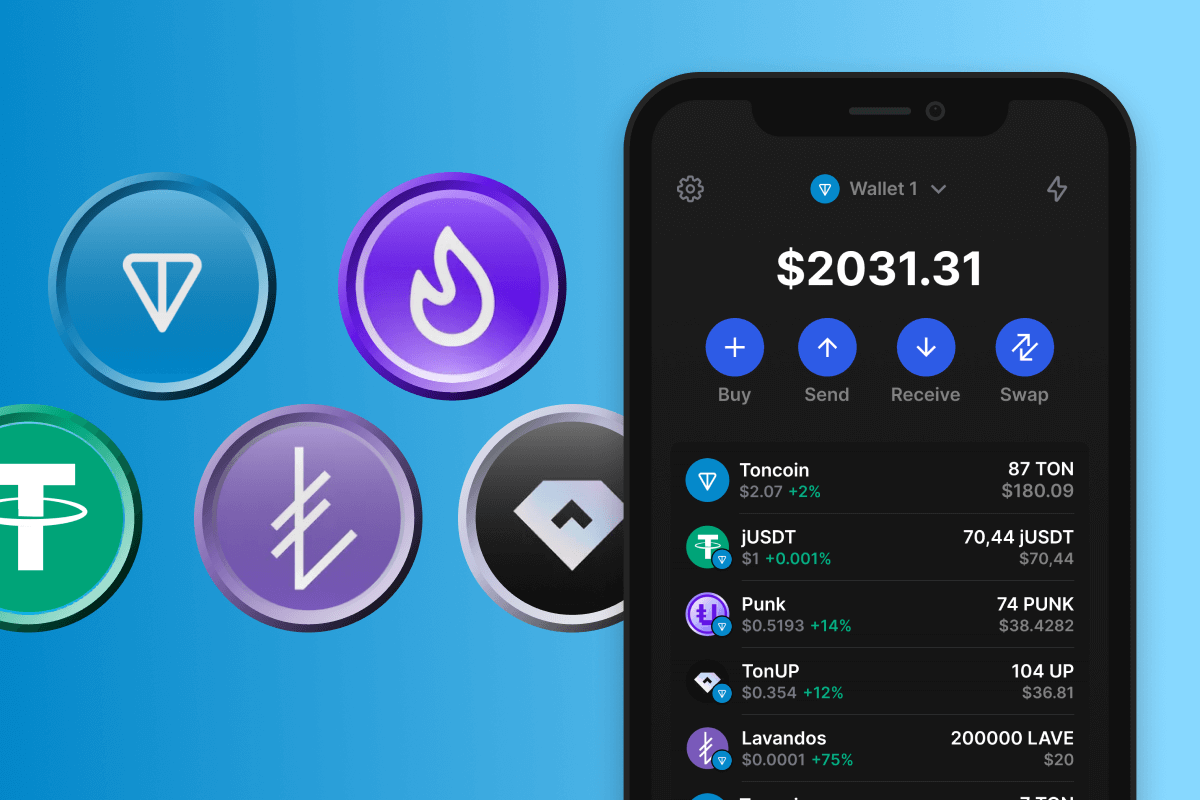
Jettonウォレットで最も人気のあるTONトークン

オープンネットワークは、トークンの広範なリストを持つ人気のあるブロックチェーンです。他のブロックチェーンにはない完全に独立したプロジェクトとユニークなプロジェクトの両方をホストしているだけでなく、ステーブルコインのUSDTなどの他のネットワークからの有名なプロジェクトもホストしています。

これらのホットなジェットトンをJetton Walletでお試しください。

トンコインを忘れないでください

Jettonを最大限に活用するには、Jettonウォレット内にTONトークンを保持することが不可欠です。これらのトークンは、ネットワークガス料金をカバーし、Jetton Walletのスマートコントラクトで定義されているトランザクションを実行するための通貨として機能します。あなたはこれを事前に世話することができます、または、 TONを購入する いつでもクレジットカードを使用して財布に直接入れることができます。この方法はシンプルで安全であるため、数回クリックするだけで必要な量のTONトークンをすばやく取得できます。

さらに、Jetton Walletは カシメ そして 関数。1つのウォレットを使用すると、資産から受動的な収入を得て、あるタイプのトークンを別のタイプのトークンに迅速かつ安全に交換する機会があります。

Why Gem JETTON Wallet App Is the Best Choice?

Gem Wallet stands out as a leading JETTON wallet solution, combining security, privacy, and usability in one powerful app. Here's why users choose Gem Wallet for their JETTON needs:

Complete Control and Self-Custody

Full control of your private keys and seed phrase. No third party can access or restrict your JETTON. Your JETTON is truly yours.

Maximum Privacy Protection

No tracking, no personal information, no data collection. Complete privacy and control over your JETTON.

Open-Source Transparency

Publicly available code on GitHub. Anyone can verify security and functionality, ensuring no hidden backdoors or vulnerabilities.

Multi-Platform Availability

Available on iOS, Android, and APK. Your JETTON wallet works wherever you go.

JETTON Wallet in Multiple Languages

Supporting 25+ languages including English, Russian, Spanish, Chinese, and Arabic. Fully localized for worldwide accessibility.

Built-In JETTON Services

Buy JETTON with 30+ payment methods. Swap JETTON through integrated DEX aggregator. Manage all crypto assets in one secure place.

Comparison: Gem Wallet vs Exchange Wallets

See how storing JETTON in Gem Wallet differs from keeping it on exchanges

FeatureGem WalletExchange Wallets (Binance, Coinbase)
Registration Required❌ No✅ Yes (Full KYC)
Personal Data Collection❌ None✅ Extensive (ID, address, selfie)
Private Keys Control✅ You own them❌ Exchange controls
Account Can Be Frozen❌ Impossible✅ Yes
Setup Time2 minutes1-7 days (KYC verification)

Professional Security Features

  1. Biometric Authentication: Use Face ID, Touch ID, or fingerprint to secure your wallet
  2. PIN Protection: Set a strong PIN code as an additional security layer
  3. Encrypted Backups: Your seed phrase is stored securely and never leaves your device
  4. Regular Security Audits: Independent security reviews ensure wallet integrity
Gem Wallet private key security and self-custody crypto wallet features

What Users Say About Gem JETTON Wallet

Quick Setup Guide (3 Steps)

How to Set Up a JETTON Wallet in 2 Minutes

Creating a JETTON wallet is simpler than opening a bank account. Gem Wallet guides you through the entire process in minutes, making it accessible for complete beginners.

onboarding view

1. 入手 JETTON ウォレット

JETTON ウォレット: iOS Android & APK

recovery phrase screen

2. 作成する JETTON ウォレット

新しいウォレットを作成し、秘密のフレーズを保存して、アドレスを取得します JETTON.

3. Set Up Security for JETTON

Enable PIN or biometric authentication and you're ready to go

Create JETTON Wallet for iOS

Creating a JETTON wallet on iPhone (2 min):

  1. Open the App Store and search for "Gem Wallet"
  2. Download and install the app (it's free and under 50MB)
  3. Open Gem Wallet and tap "Create New Wallet"
  4. Write down your seed phrase on paper - this is your master backup
  5. Enable Face ID or set a PIN code for quick and secure access
  6. Done! Your JETTON wallet address is now active

Create JETTON Wallet for Android

Creating a JETTON wallet on Android (2 min):

  1. Via Google Play: Search for "Gem Wallet" in the Play Store and install
  2. Via Direct APK: Download the APK file for maximum privacy and control
  3. Open the app and select "Create New Wallet"
  4. Write down your 12-word seed phrase on paper
  5. Set up fingerprint or PIN authentication
  6. Your JETTON wallet is ready to use

JETTON Wallet Without Registration

One of JETTON's core principles is financial freedom and privacy. Gem Wallet embodies this philosophy by offering a JETTON wallet without registration - no email, no phone number, no identity verification required.

Why No-Registration Wallets Matter

Custodial JETTON wallets and centralized exchanges (Coinbase, Binance) require extensive personal information through KYC (Know Your Customer) verification. Unlike self-custodial wallets, this creates several problems:

  • Privacy Risks: Your financial activity is tracked and can be sold to third parties or accessed by bad actors
  • Data Breaches: Centralized databases of personal information are prime targets for hackers
  • Censorship: Accounts can be frozen or restricted based on location, political views, or arbitrary decisions
  • Time-Consuming: KYC processes can take days or weeks to complete

Gem Wallet: True Private JETTON Wallet

With Gem Wallet, you can create and use a JETTON wallet with complete privacy:

  • No email address required
  • No phone number needed
  • No identity documents or selfies
  • No IP address tracking
  • No mandatory account creation

Simply download the app, create your wallet, and start using JETTON within minutes. Your privacy is protected from the moment you install the app.

How to Get a JETTON Address

To get a JETTON wallet address, you first need to create or import a JETTON wallet. After that, the app will generate addresses for you automatically.

1 Open Gem Wallet

Launch the app on your phone and select JETTON (JETTON) from your asset list.

2 Tap "Receive" Button

You'll see a large button at the bottom of the screen. Your JETTON wallet address will be displayed both as text and as a QR code.

3 Copy Your Address

Copy the address to clipboard, share the QR code, or send it directly through messaging apps.

Get JETTON wallet address in Gem Wallet
🔄 Unlimited Addresses

In Gem Wallet, you can generate unlimited JETTON addresses for free. Each address is derived from your seed phrase and remains under your control forever.

📱 Using QR Codes

No Typing Errors - Scanning prevents copy-paste mistakes

Faster Transactions - Just show your phone screen

Perfect for in-person JETTON payments