



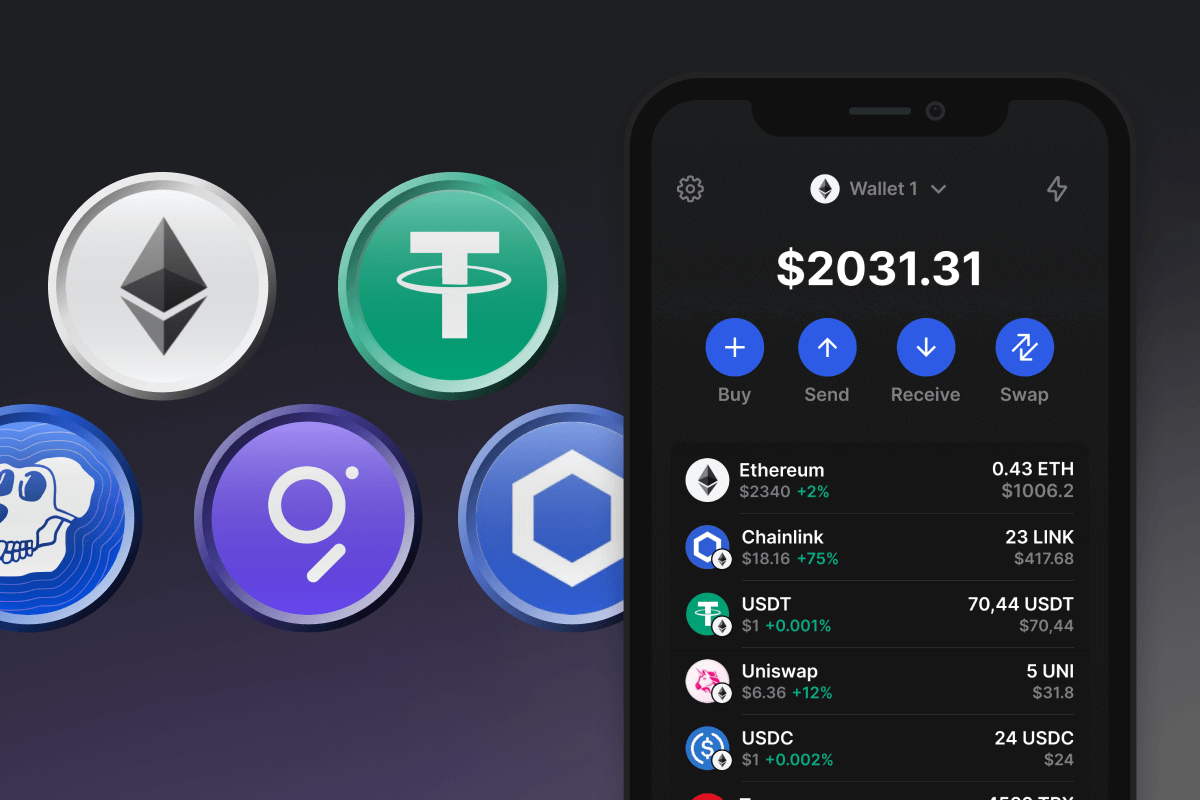
Was ist ERC20?
ERC20 ist der technische Standard für fungible Token, die auf der Ethereum-Blockchain ausgegeben werden, definiert in der offiziellen EIP-20-Spezifikation. Er legt ein gemeinsames Regelwerk fest, dem jeder Token-Contract folgt - dieselben Funktionen für Transfer, Guthaben und Genehmigungen - sodass Wallets, Exchanges und Smart Contracts mit jedem ERC20-Token auf genau dieselbe Weise interagieren können. Der Standard wird manchmal als ERC-20 geschrieben; beide Schreibweisen bezeichnen dieselbe Spezifikation.
ERC20-Token decken den Großteil der tokenisierten Wirtschaft auf Ethereum ab, darunter Stablecoins wie USDT, USDC und DAI; DeFi-Token wie LINK, UNI und AAVE; Wrapped Assets wie WETH; und Memecoins wie SHIB und PEPE. ETH selbst ist kein ERC20-Token - es existierte bereits vor dem Standard und fungiert als native Währung von Ethereum - weshalb WETH als 1:1-ERC20-Wrapper existiert, der in DeFi-Protokollen verwendet wird, die erwarten, dass jedes Asset denselben Regeln folgt.
Was ist eine ERC20-Wallet und warum brauchen Sie eine?
Eine ERC20-Wallet ist eine App, mit der Sie eine Ethereum-Adresse erstellen, importieren und nutzen können, um ERC20-Token zu halten und zu bewegen. Dieselbe Adresse hält Ihr ETH und jedes ERC20-Token, das Sie erhalten, sodass eine einzige Wallet Ihnen vollen Zugang zur Ethereum-Wirtschaft bietet: Stablecoin-Transfers, DeFi-Protokolle, NFT-Sammlungen, Governance-Abstimmungen und On-Chain-Zahlungen. Die Interaktion mit DeFi beinhaltet in der Regel approve-Transaktionen, die einem Smart Contract die Erlaubnis erteilen, einen bestimmten Token-Betrag in Ihrem Namen auszugeben - ein in ERC20 integrierter Mechanismus, der Ihnen die Kontrolle erhält, anstatt standardmäßig unbegrenzten Zugriff zu gewähren. Egal, ob Sie Token handeln, Stablecoins als Ersparnisse halten oder mit Smart Contracts interagieren - eine ERC20-Wallet hält Ihre Vermögenswerte unter Ihrer Kontrolle statt auf einer Exchange. Sie benötigen jederzeit eine kleine Menge ETH in der Wallet, da Gas-Gebühren für jede ERC20-Transaktion in ETH auf dem Ethereum-Netzwerk bezahlt werden.
ERC20-Adressformat
Eine ERC20-Adresse ist eine 42-stellige Ethereum-Adresse, die immer mit 0x beginnt, zum Beispiel 0x742d35C...........c9e7595f0bEb1. Dies ist dasselbe Adressformat, das für natives ETH verwendet wird - eine Ethereum-Adresse hält Ihr ETH-Guthaben und jedes ERC20-Token auf diesem Konto, einschließlich USDT, USDC, DAI und jedem anderen Token. Es gibt keine separate „USDT-Adresse" oder „USDC-Adresse" - der Token-Contract verwaltet das Guthaben, und Ihre Adresse ist der Schlüssel, der es kontrolliert.
ERC20-Adressen funktionieren nur auf dem Ethereum-Netzwerk. Sie sind nicht kompatibel mit Bitcoin-Adressen, Solana-Adressen oder TRC20-Adressen auf TRON - das Senden von ERC20-Token an eine Adresse im falschen Netzwerk führt in der Regel zum dauerhaften Verlust der Mittel. In Gem Wallet wird Ihre Ethereum-Adresse einmal auf dem ETH-Bildschirm angezeigt und dient als einzige Einzahlungsadresse für alle ERC20-Token.
ERC20-Transfers und Gas-Gebühren
Jede ERC20-Transaktion auf Ethereum verbraucht eine bestimmte Menge Gas, eine Recheneinheit, die in ETH bezahlt wird. Ein nativer ETH-Transfer verbraucht 21.000 Gas; ein standardmäßiger ERC20-Transfer verbraucht etwa 50.000-65.000 Gas; und der approve-Aufruf, der einem Smart Contract die Erlaubnis erteilt, Ihre Token auszugeben, verbraucht rund 46.000 Gas. Die Gesamtgebühr in ETH berechnet sich als Gas-Einheiten × Gas-Preis (in Gwei) × ETH-Preis, wobei der Gas-Preis mit der Netzwerknachfrage schwankt und pro Transaktion festgelegt wird.
Nach dem Pectra-Upgrade (Mai 2025) haben sich die Ethereum-Gas-Märkte allgemein auf niedrigeren Niveaus stabilisiert als in den Vorjahren. Im Frühjahr 2026 kostet ein typischer ERC20-Transfer zwischen 0,50 $ und 3 $ an Netzwerkgebühren unter normalen Bedingungen, mit kurzen Spitzen während Phasen hoher Nachfrage. Pectra führte auch EIP-7702 ein, das es Standard-Ethereum-Konten ermöglicht, mehrere Operationen - beispielsweise ein Approve und einen Swap - zu einer einzigen Transaktion zu bündeln.
In Gem Wallet können Sie für jede ERC20-Transaktion zwischen Langsam, Normal oder Schnell wählen - die Wallet passt den Gas-Preis entsprechend an, sodass Transfers auch dann schnell durchgehen, wenn das Ethereum-Netzwerk ausgelastet ist.
ERC20-Wallet-Funktionen in Gem Wallet
- Auf ethereum.org gelistet: Gem Wallet ist im offiziellen Ethereum-Wallets-Verzeichnis auf ethereum.org aufgeführt, der kuratierten Liste, die von der Ethereum Foundation gepflegt wird.
- Volle ERC20-Unterstützung: Halten Sie ETH zusammen mit wichtigen ERC20-Token wie USDT, USDC, DAI, LINK, UNI, AAVE, WETH, SHIB und PEPE an einem Ort - mit Live-Preisen, vollständiger Transaktionshistorie und integrierten NFT-Vorschauen.
- Integrierter DEX-Aggregator: Tauschen Sie ETH und ERC20-Token nahtlos direkt in der App über den integrierten Aggregator für dezentrale Exchanges - das Routing läuft über Uniswap, Thorchain und andere DEX-Protokolle, mit automatischer Token-Genehmigung in einem einzigen Tippen.
- Anpassbare Transaktionsgeschwindigkeit: Wählen Sie Langsam, Normal oder Schnell für jede Ethereum-Transaktion - Gem Wallet passt die Gas-Gebühr entsprechend an, sodass Transfers auch dann schnell durchgehen, wenn das Ethereum-Netzwerk ausgelastet ist.
- ETH einfach kaufen: Kaufen Sie ETH und andere Token mit Ihrer Karte in wenigen Klicks - laden Sie Ihre erste Ethereum-Wallet schnell auf.
- DeFi und Staking: Lassen Sie Ihre Token arbeiten: Greifen Sie auf Ethereum-DeFi zu und staken Sie ETH direkt aus der App. Mehr in unserem Leitfaden zum Ethereum-Staking.
- NFTs und Memecoins: Speichern und senden Sie Ethereum-NFTs oder handeln Sie angesagte Memecoins wie SHIB, PEPE und andere ERC20-Token schnell und einfach.
Laden Sie Ihre ERC20-Wallet-App mit Gem Wallet noch heute herunter und nutzen Sie eines der besten ERC20-Wallet-Erlebnisse für DeFi, NFTs, Memecoins und schnelle On-Chain-Zahlungen - alles mit voller non-custodial-Kontrolle auf dem Mobilgerät.
























