%!s(<nil>) Coin

Buy Open USD (OUSD)

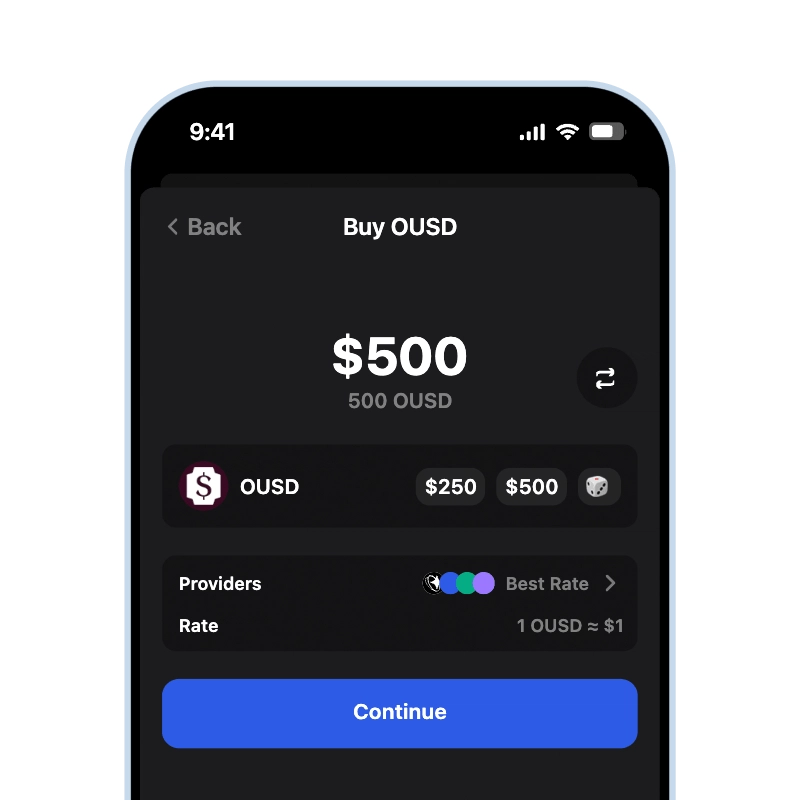
Gem Wallet lets you buy OUSD with a card or a bank transfer and sends the stablecoin straight to an address that only you control. It delivers Open USD on the network you pick - Ethereum, Base, Solana, or Tempo - and shows the total before you pay. Gem Wallet keeps the purchase out of any exchange account: the OUSD lands in your own wallet.

App Store 4.9 ★ on App Store | Google Play 4.8 ★ on Google Play
Buy Open USD (OUSD)
Current price Loading... • Apple Pay • Google Pay • SEPA • Credit & Debit Card • Bank Transfer
Buy Open USD (OUSD) (OUSD) with credit card using gem wallet

What Is Open USD (OUSD)?

Open USD (OUSD) is a US dollar stablecoin issued by Bridge, a Stripe company, under Open Standard, a company founded by Coinbase, Mastercard, Shopify, Stripe, and Visa. It went live on September 30, 2026, on Ethereum, Base, Solana, and Tempo, with reserves held at BlackRock, Lead Bank, and BNY (Open Standard, October 2026). Who stands behind the token and how it compares with other dollar stablecoins is covered in the Open USD guide, and how to store it on each network in the OUSD wallet overview.

How Buying OUSD in Gem Wallet Works

Gem Wallet lets you buy OUSD without an exchange: you pay an on-ramp provider with a card or a bank transfer, and the provider sends OUSD directly to your own address in the wallet. The stablecoin never sits on a third-party account, so it is under your control from the first minute.

OUSD exists as a separate token on four networks, and you choose the network before you pay. Ethereum, Base, and Tempo deliver to a 0x address, Solana to a base58 address - all of them created with the wallet from your 12-word secret phrase. Gem Wallet works with more than ten fiat on-ramp partners and shows the offers available in your country, so you pick the provider and the payment method before the purchase.

What It Costs to Buy OUSD

OUSD is redeemable 1:1 for US dollars, so the cost of a purchase is not about the token price but about what sits around it:

  • Provider fee and rate: each on-ramp provider sets its own fee and its own USD rate, which is why offers for the same amount differ.
  • Payment method: cards, Apple Pay, Google Pay, and bank transfers can be priced differently by the same provider.
  • Delivery network: the provider pays the network fee to deliver OUSD, and that fee is higher on Ethereum than on Base, Solana, or Tempo.

Gem Wallet shows the full amount in your currency and the OUSD you will receive before you confirm, so there are no surprises after the payment.

Buy OUSD or Swap Into It

There are two ways to get OUSD into the wallet, and the right one depends on what you already hold:

RouteYou pay withWhat you pay for
BuyCard, Apple Pay, Google Pay, bank transferProvider fee and rate
SwapUSDC, USDT, ETH, or other cryptoSwap route and network fees

If you hold fiat, buying is the direct route. If you already hold stablecoins or other crypto, swap them for OUSD through the built-in DEX aggregator in Gem Wallet: no card and no provider checkout.

After the Purchase: Fees to Move Your OUSD

Buying OUSD does not pay for moving it later. To send OUSD from Ethereum or Base, the wallet needs a small amount of ETH on that network, and on Solana it needs SOL - OUSD itself cannot pay those fees. Tempo is the exception: it has no native gas coin, and fees there are paid in USD stablecoins, so OUSD on Tempo can be sent without buying a second asset.

Before you send OUSD anywhere, check that the receiving side uses the same network: OUSD on Base and OUSD on Solana are different tokens, and a transfer to the wrong network can be lost. A token called OUSD at any contract other than the official Open USD contracts is a different coin - the addresses for all four networks are listed on the OUSD wallet page.
How to Buy Open USD (OUSD) With a Credit Card

Buy OUSD by following these 3 simple steps:

onboarding view

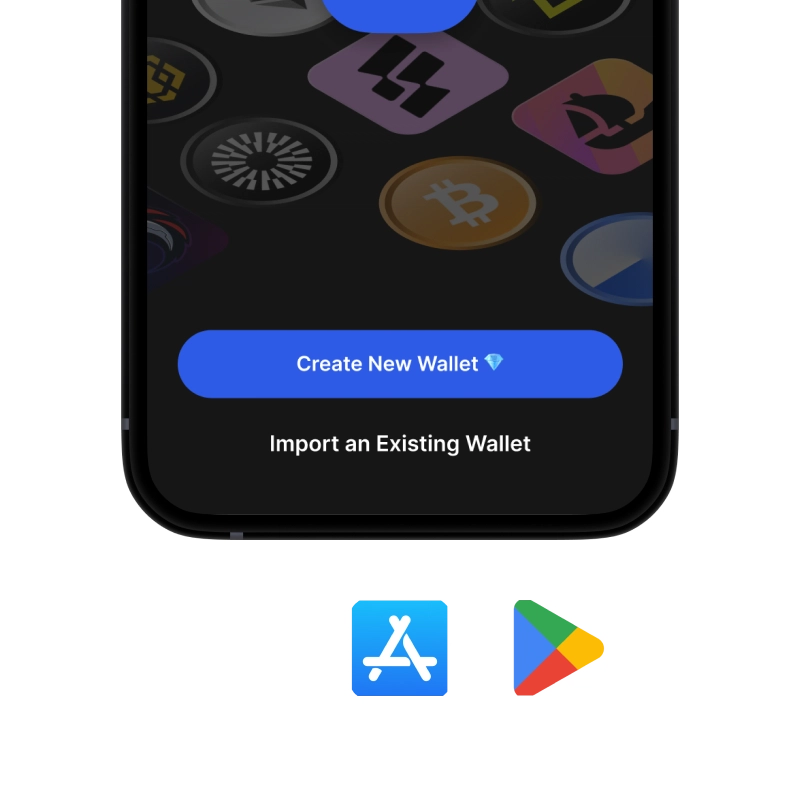
1. Download Gem Wallet

Available on iOS, Android & APK

recovery phrase screen

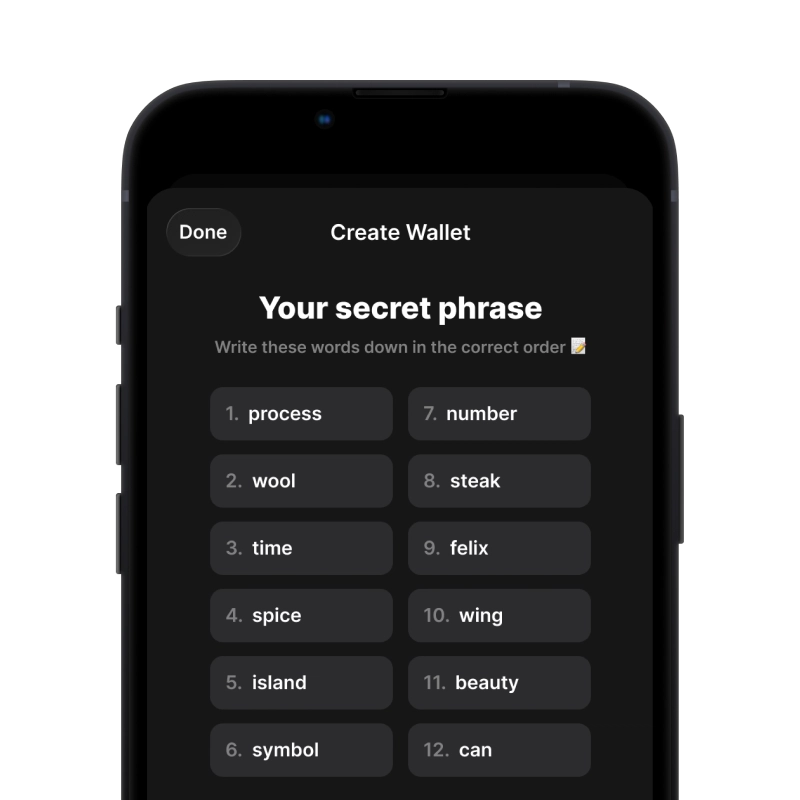
2. Create A Wallet

Create a new wallet, save the secret phrase, and get your address in OUSD.

buy crypto with card

3. Buy Open USD (OUSD)

Pay with Visa, Mastercard, Apple Pay, or Google Pay.

Min. $5
1–5 min delivery
1,000+ coins
170+ countries

Why Buy Open USD (OUSD) With Gem Wallet?

Gem Wallet stands out as the best choice for buying Open USD (OUSD), combining security, privacy, and usability in one powerful app.

Self-Custody

Self-Custody

Full ownership of your digital assets. Complete control of your private keys and secret phrase. No third party can access or restrict your OUSD.

No Exchange Account

No Exchange Account Needed

Buy OUSD directly into your wallet without creating exchange accounts. Skip lengthy verification processes and start using crypto immediately.

Open-Source

Open-Source & Auditable

Publicly available code on GitHub. Independently audited by CertiK in April 2026.

Secure Payment

Secure Payment Methods

Buy OUSD with 30+ payment methods, including Visa, Mastercard, Apple Pay, and Google Pay.

Low Fees

Low Fees & 170+ Countries

Buy crypto at competitive rates in 170+ countries. Gem Wallet compares prices across multiple on-ramp providers so you always get the best deal.

Trusted Gateways

Trusted Fiat-to-Crypto Partners

Gem Wallet partners with industry-leading providers like Moonpay, Mercuryo, Paybis, and other trusted on-ramp services to ensure secure and reliable transactions.

What You Can Do With Open USD (OUSD) After Purchase

Gem Wallet offers complete control over your OUSD with powerful features built-in

Action
Description
Available
🔒 Hold
Open USD (OUSD) stored securely - only you hold the keys
✓
📤 Send
Send Open USD (OUSD) across multiple networks - choose speed and cost
✓
🔄 Swap
Open USD (OUSD) swappable with 100+ cryptocurrencies using built-in DEX aggregator
✓
💱 Sell
Open USD (OUSD) convertible to fiat via integrated off-ramp providers
✓
💸 Pay
Pay or send Open USD (OUSD) to anyone, anywhere
✓

Frequently Asked Questions

Create a wallet, tap Buy, choose OUSD on the network you want, enter the amount, and pay with a Visa or Mastercard card, Apple Pay, or Google Pay. The on-ramp provider sends the OUSD to your own address on that network.
Yes. Besides cards, Apple Pay, and Google Pay, providers offer bank transfers for OUSD in many countries. The app lists only the payment methods available where you are.
On the network you choose before paying: Ethereum, Base, Solana, or Tempo. Each network keeps its own OUSD balance, so pick the one where you plan to use the stablecoin. Moving OUSD to another network later takes a cross-chain swap.
No. You buy OUSD from an on-ramp provider inside the app, and the stablecoin goes straight to your self-custodial wallet. The payment itself is processed by the provider under its own rules.
Yes. If you already hold USDC, USDT, ETH, or other crypto in the wallet, you can swap it for OUSD through the built-in DEX aggregator without a card. You pay the swap route and the network fee instead of a provider fee.

Ready to Buy Open USD (OUSD)?

App Store 4.9 ★ on App Store | Google Play 4.8 ★ on Google Play
Buy Open USD (OUSD)
Apple Pay • Google Pay • SEPA • Credit & Debit Card • Bank Transfer