Aster Coin

Aster Wallet

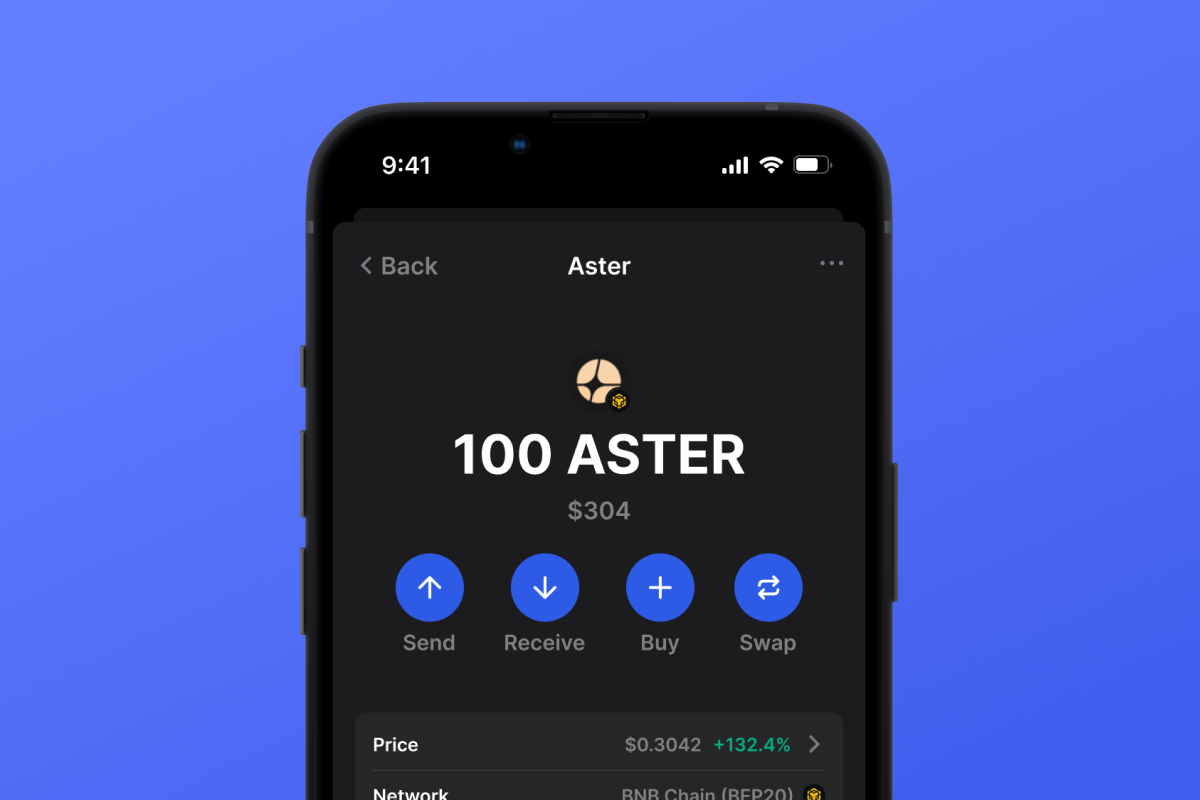
Gem Wallet is a self-custodial Aster wallet for iOS, Android, and APK. It lets you create an ASTER wallet in under two minutes, get your BNB Chain address, send, receive, swap, or buy ASTER, and connect to Aster DEX through WalletConnect. Gem Wallet keeps your keys on your device, with no account and no tracking.

Aster Wallet

What Is Aster (ASTER)?

Aster is a decentralized exchange for perpetual futures, often called a perp DEX, with markets on crypto, stocks, and commodities, plus spot trading. Its order book encrypts orders before they reach the chain and decrypts them only at execution, so position size, entry, and liquidation level stay private. Aster runs on Aster Chain, its own layer-1 network built for private perpetuals trading, and takes deposits through a bridge on BNB Chain, Ethereum, Solana, Arbitrum, and Sui.

ASTER is the token of the Aster exchange. It launched at the token generation event on September 17, 2025, and holders of the earlier APX token could exchange it for ASTER. The Aster tokenomics send 99% of daily platform fees to ASTER buybacks: the bought-back tokens go to holders who lock ASTER as veASTER, and an equal amount is burned from reserve. As of November 2026, the ASTER contract on BNB Chain reports a total supply of 8 billion ASTER.

What Is an Aster Wallet?

An Aster wallet is an app that holds the private key of a BNB Chain account and uses it to sign ASTER transfers and requests from Aster DEX. ASTER is a BEP20 token, so the balance lives on BNB Chain under your 0x address, next to BNB and any other BEP20 token of the account.

In a self-custodial wallet, the key is created and kept on your phone, and the ASTER moves only when you sign. In an exchange account, the exchange controls the key and your ASTER sits in its shared address, so a withdrawal depends on the exchange.

Gem Wallet is a self-custodial Aster wallet: it derives your BNB Chain account from a 12-word recovery phrase and keeps the key in Apple Keychain on an iPhone and in Google Tink on Android. The same phrase restores your ASTER together with BNB and every other network in the app.

How ASTER Transfers and Fees Work on BNB Chain

An ASTER transfer is a call to the ASTER token contract on BNB Chain. Like every BNB Chain transaction, it pays its fee in BNB as gas: the gas the call uses times the network gas price. The fee goes to BNB Chain validators, and a transfer cannot go through if the address holds no BNB.

ItemValue
Token standardBEP20 on BNB Chain, 18 decimals
Fee paid inBNB
Gas of one ASTER transferabout 52,000
Network gas price0.05 gwei
Fee of one ASTER transferabout 0.0000026 BNB, under $0.01
Block timeabout 0.45 seconds

Data source: BNB Chain RPC gas estimate for an ASTER transfer, gas price and block timestamps on November 17, 2026.

Gem Wallet calculates the fee for each ASTER transfer from the current gas price and shows it in BNB and in your currency before you confirm. If the address holds no BNB for gas, you can buy BNB in the app or withdraw a small amount from an exchange.

ASTER Address Format

An ASTER address is a regular BNB Chain address: 42 characters starting with 0x (for example 0x7a3f…9c2e). One address receives BNB, ASTER, and every other BEP20 token, and it stays the same every time you open the app. The ASTER token itself has its own contract address on BNB Chain, 0x000A…556A, which you never send funds to.

Ethereum, Arbitrum, and other EVM networks use the same 0x format, so the same address can exist on several networks. The network decides where the funds arrive: when you withdraw ASTER from an exchange to Gem Wallet, choose BNB Chain (BEP20), and when you send ASTER on, check that the recipient expects BNB Chain. Before you send, Gem Wallet checks the recipient address for known scam and address-poisoning patterns.

Connect to Aster DEX and Move ASTER

Aster DEX accepts any wallet that supports WalletConnect. Gem Wallet supports WalletConnect on BNB Chain: scan the QR code on the Aster site, and each request from the exchange opens in Gem Wallet for you to approve or reject, so the key never leaves your phone. Aster asks a wallet that connects on BNB Chain to hold at least 0.001 BNB.

To get ASTER, swap BNB, USDT, or another token to it through the BNB Chain DEX providers in the app, such as PancakeSwap, or buy crypto with a card; to cash out, sell ASTER for fiat. The perpetual futures built into Gem Wallet run on Hyperliquid and are described on the perpetuals page.

Download Gem Wallet for iOS, Android, or APK, and it gives you a self-custodial Aster wallet with your own BNB Chain address.
Why Choose Gem Wallet as Your Aster Wallet

Gem Wallet is a Aster wallet where you control your keys and your funds. The code is publicly available on GitHub. Your activity is not tracked, and you can buy, swap, and use Aster directly from the app.

Control and Self-Custody

Full control of your private keys and secret phrase. No third party can access or restrict your Aster. Your Aster is truly yours.

Privacy Protection

No tracking, no personal information, no data collection. Complete privacy and control over your Aster.

Audited

Publicly available code on GitHub, independently audited by CertiK in April 2026 and Cure53 in October 2026.

Multi-Platform

Available on iOS, Android, and APK. Your Aster wallet works wherever you go.

Aster Wallet in Multiple Languages

Supporting 25+ languages including English, Spanish, Chinese, Russian, and Arabic. Fully localized for worldwide accessibility.

Built-In Aster Services

Buy Aster with 30+ payment methods. Swap Aster through integrated DEX aggregator. Manage all crypto assets in one secure place.

Comparison: Gem Wallet vs Exchange Wallets

See how storing Aster in Gem Wallet differs from keeping it on exchanges

FeatureGem WalletExchange Wallets (Binance, Coinbase)
Registration Required✅ None❌ Full KYC
Personal Data Collection✅ None❌ Extensive (ID, address, selfie)
Open-Source✅ Fully transparent❌ Closed source
Private Keys Control✅ Yes❌ No
Account Freezing✅ Impossible❌ Possible
Setup Time✅ 2 minutes⚠️ 1-7 days (KYC verification)

Professional Security Features

  1. Biometric Authentication: Use Face ID, Touch ID, or fingerprint to secure your wallet
  2. PIN Protection: Set a strong PIN code as an additional security layer
  3. Encrypted Backups: Your secret phrase is stored securely and never leaves your device
  4. Regular Security Audits: Independent security reviews ensure wallet integrity. Learn more about security →
Gem Wallet private key security and self-custody crypto wallet features
App Store
DariaGalli
Aug 7, 2025

Great 👍🏻 I've been using this wallet for Bitcoin and USDT it's easy to use, and the design's actually...

Google Play
mitu Akter2
Feb 11, 2026

Excellent crypto wallet! The app is very easy to use, even for beginners. Transactions are fast and secure, and I really like the clean interface.

App Store
Cryptouser22
Mar 26, 2025

Very fast customer support response, it was much appreciated

App Store
Borisza1
Dec 26, 2025

Very fast and easy app to use fast transfers

Google Play
Danish
Jan 11, 2026

fantastic wallet simple, easy to use, friendly interface secure with many more great features.

App Store
NewbieCrypto_2024
Dec 15, 2025

Perfect for beginners. Set it up in under 2 minutes and bought my first Bitcoin through the wallet. Super easy!

Google Play
Sabana
Dec 30, 2025

Gem Wallet offers a clean interface and solid security for managing crypto assets. Transactions are smooth and reliable.

App Store
LadyTech777
Dec 12, 2025

I wanted something easy to use, fast wallet with multiple old and new chains. Finally found all of this in Gem.

Google Play
Ahmed Barca
Jan 9, 2026

best app

App Store
Stickyglow
Apr 10, 2025

I love how I can cross chain swap btc and eth in base it was fastest swap ever.

Google Play
Forhad Rahman
Jan 5, 2026

A well-designed crypto wallet that balances security and usability. Managing assets feels simple, even for someone new to crypto.

App Store
Joa.co
Jan 2, 2026

Simple and powerful wallet with beautiful native iOS design. Open source, self custodial, with staking support.

App Store
Sarah_Crypto
Aug 12, 2025

Switched from Coinbase and never looked back. I actually own my crypto now. The seed phrase backup is straightforward and secure.

How to Set Up a Aster Wallet in 2 Minutes

Quick Setup Guide (3 Steps)

Creating a Aster wallet is simpler than opening a bank account. Gem Wallet guides you through the entire process in minutes, making it accessible for complete beginners.

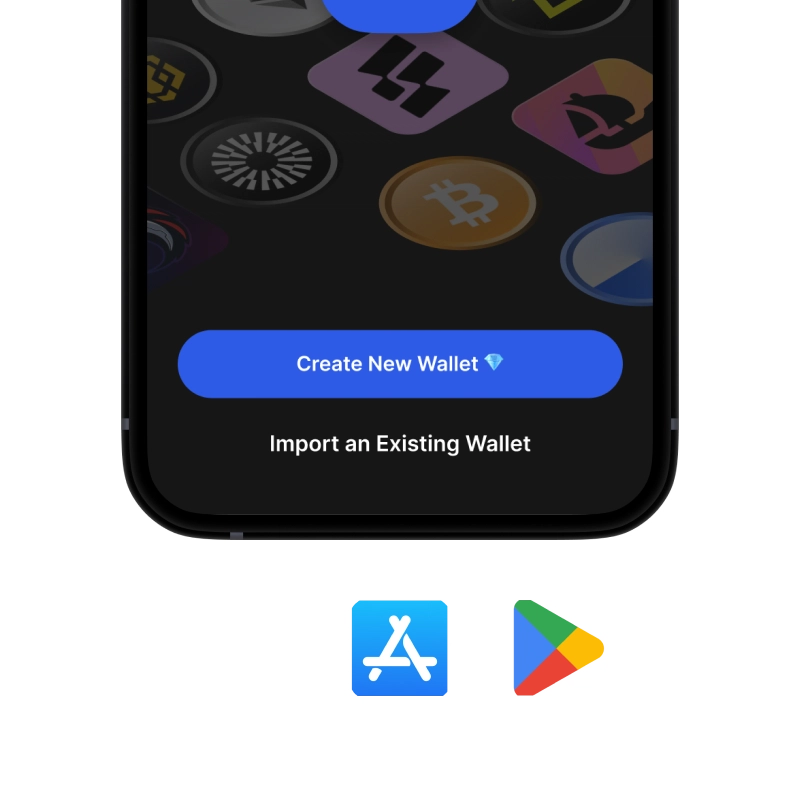
onboarding view

1. Download Aster Wallet

Aster Wallet: iOS, Android & APK

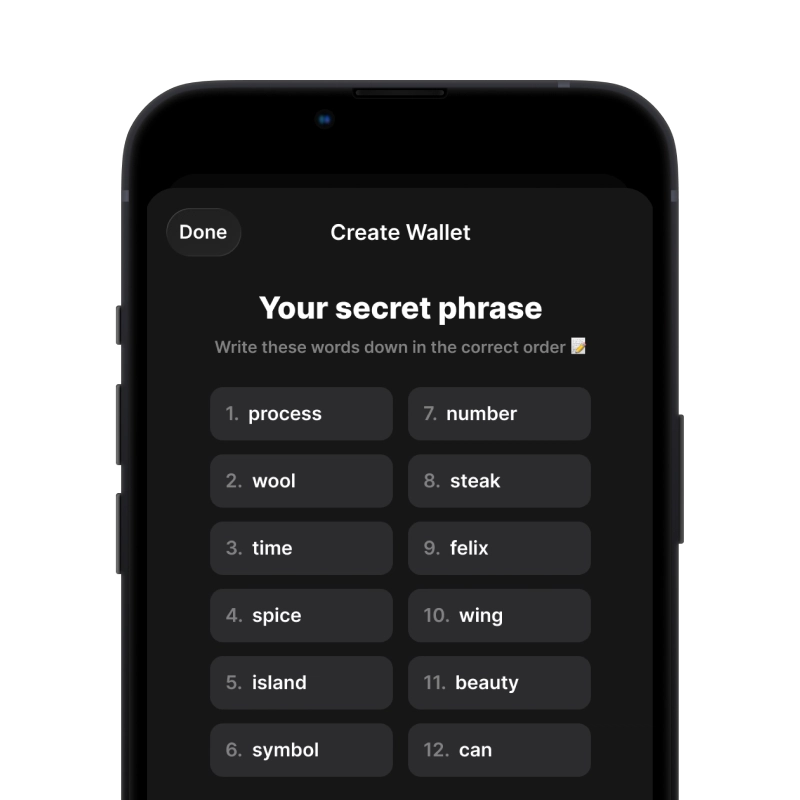
recovery phrase screen

2. Create Aster Wallet

Create a new wallet, save the secret phrase, and get your address in Aster.

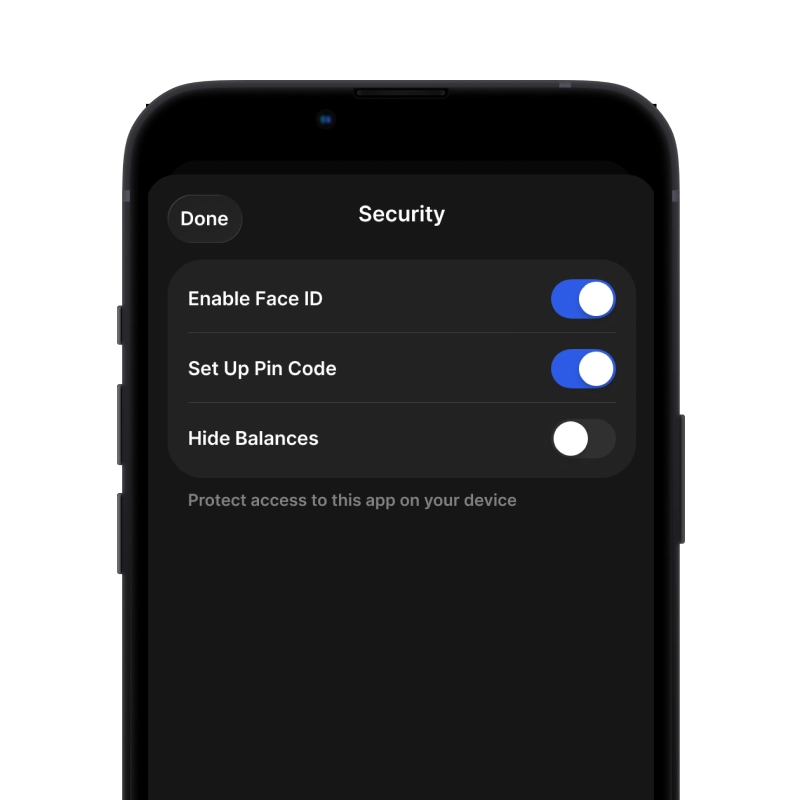
gem wallet security settings

3. Set Up Security for Aster

Enable PIN or biometric authentication and you're ready to go

Create Aster Wallet for iOS

Get your Aster wallet on iPhone (2 min):

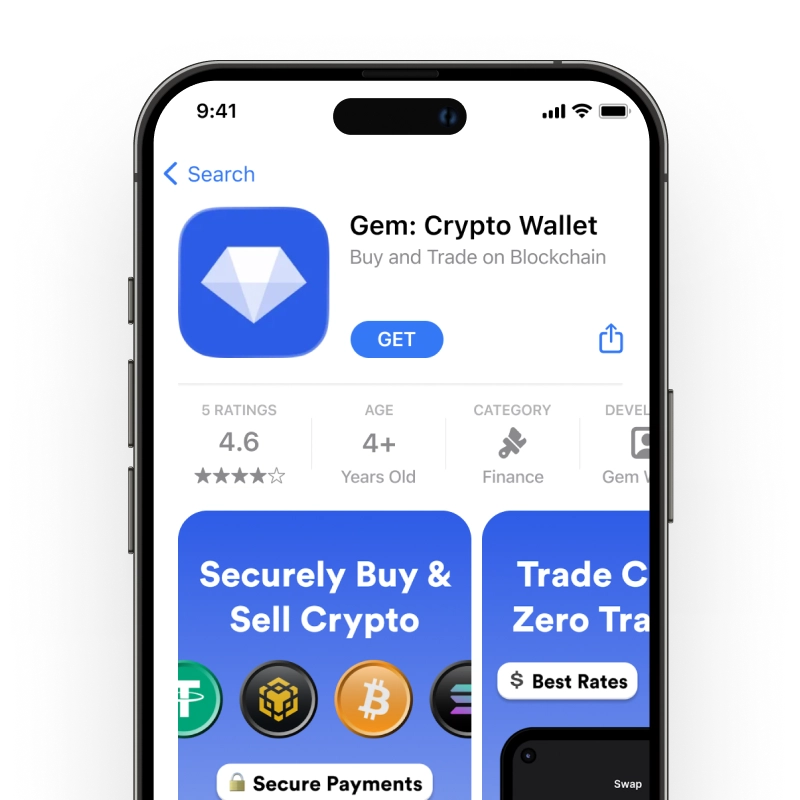
  1. Open the App Store and search for "Gem Wallet"
  2. Download and install the app (it's free and under 50MB)
  3. Open Gem Wallet and tap "Create New Wallet"
  4. Write down your secret phrase on paper - this is your master backup
  5. Enable Face ID or set a PIN code for quick and secure access
  6. Done!
Download Gem Wallet for iOS
Aster wallet for iOS

Create Aster Wallet for Android

Get your Aster wallet on Android (2 min):

  1. Via Google Play: Search for “Gem Wallet” in the Play Store and install
  2. APK: Download the APK file for maximum privacy and control
  3. Open the app and select "Create New Wallet"
  4. Write down your 12-word secret phrase on paper
  5. Set up fingerprint or PIN authentication
  6. Done!

How to Get a Aster Address

To get a Aster wallet address, you first need to create or import a Aster wallet. After that, the app will generate addresses for you automatically.

1 Open Gem Wallet

Launch the app on your phone and select Aster (Aster) from your asset list.

2 Tap "Receive" Button

You'll see a large button at the bottom of the screen. Your Aster wallet address will be displayed both as text and as a QR code.

3 Copy Your Address

Copy the address to clipboard, share the QR code, or send it directly through messaging apps.

Get Aster wallet address in Gem Wallet
🔄 Unlimited Addresses

In Gem Wallet, you can generate unlimited Aster addresses for free. Each address is derived from your secret phrase and remains under your control forever.

📱 Using QR Codes
  • ✅ No Typing Errors - Scanning prevents copy-paste mistakes
  • ✅ Faster Transactions - Just show your phone screen
  • ✅ Perfect for in-person Aster payments

Frequently Asked Questions

ASTER is a BEP20 token, so a transfer is a call to the token contract on BNB Chain and its fee is paid in BNB as gas. As of November 2026 an ASTER transfer uses about 52,000 gas at a network gas price of 0.05 gwei, which comes to about 0.0000026 BNB, or less than one cent. Gem Wallet shows the network fee in BNB and in your currency before you confirm.
Aster DEX accepts any wallet that supports WalletConnect, according to the Aster documentation, and asks a wallet that connects on BNB Chain to hold at least 0.001 BNB. Gem Wallet supports WalletConnect on BNB Chain, so you can connect it to Aster DEX by scanning the QR code from the site and approve each request in the app.
An ASTER address is a regular BNB Chain address of 42 characters that starts with 0x. The same address holds BNB, ASTER, and every other BEP20 token of the account, so there is no separate address for ASTER. Because Ethereum and other EVM networks use the same 0x format, always check that BNB Chain is selected on both sides of a transfer.
Every transaction on BNB Chain pays its fee in BNB, the native coin of the network, including transfers of BEP20 tokens such as ASTER. A wallet that holds ASTER but no BNB cannot move the ASTER. A small BNB balance covers many transfers, because one ASTER transfer costs a fraction of a cent in BNB as of November 2026.
Copy your BNB Chain address from Gem Wallet, paste it into the withdrawal form of the exchange, and choose BNB Chain (BEP20) as the network. BNB Chain produces a block about every 0.45 seconds as of November 2026, so the ASTER usually arrives within seconds after the exchange sends it. Add some BNB to the same address if you plan to send the ASTER on.
The ASTER token contract on BNB Chain reports a total supply of 8 billion ASTER with 18 decimals, as of November 2026. The Aster tokenomics plan buybacks funded by platform fees and a matching burn from reserve that continues until the total supply reaches 3 billion ASTER.
When you create a wallet in Gem Wallet, you get a 12-word secret recovery phrase. Write it down on paper and keep it offline, never in a screenshot or a website form. The phrase restores your BNB Chain address, ASTER, and other tokens on any device. If you lose the phrase, no one can recover it for you.

Your Aster Wallet Is Ready

App Store 4.6 ★ on App Store Google Play 4.7 ★ on Google Play
Download Now